> ## Documentation Index
> Fetch the complete documentation index at: https://support.lilt.com/llms.txt
> Use this file to discover all available pages before exploring further.
# Quickstart
Let's talk about how to make your first API call using LILT's API. This should take about 5 minutes and by the end you will know all of the available languages that LILT can localize your content into.
## What you need to start:
First you will need to retrieve your Organization's API Key from the LILT User Interface.
Log in to the LILT platform as an Administrator, and select Manage from the sidebar. Select API keys.
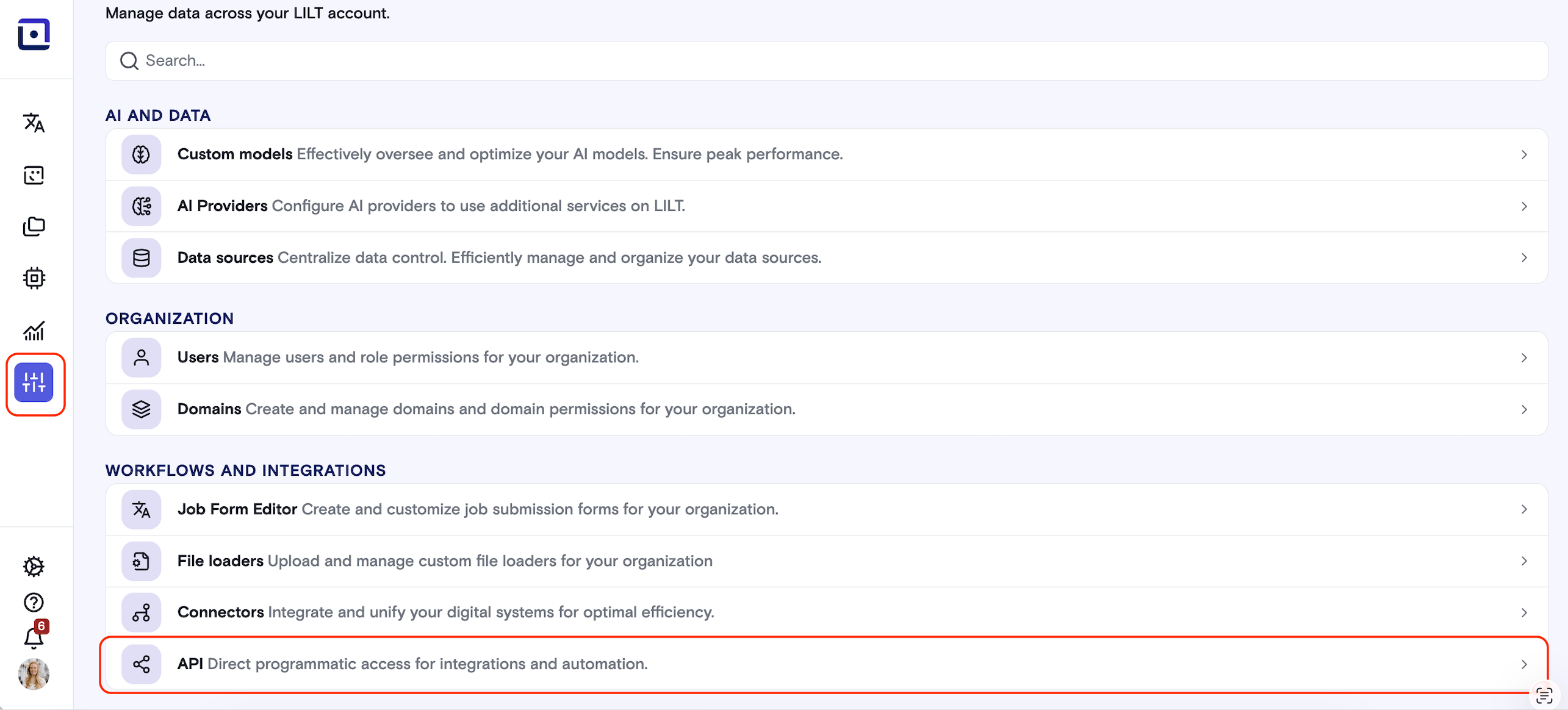 Create a new API key, or use an existing one. More information on how to use this is available [here](https://support.lilt.com/kb/organization-settings#api). Then, copy the API Key into your favorite API Platform like Postman, Datadog, etc...
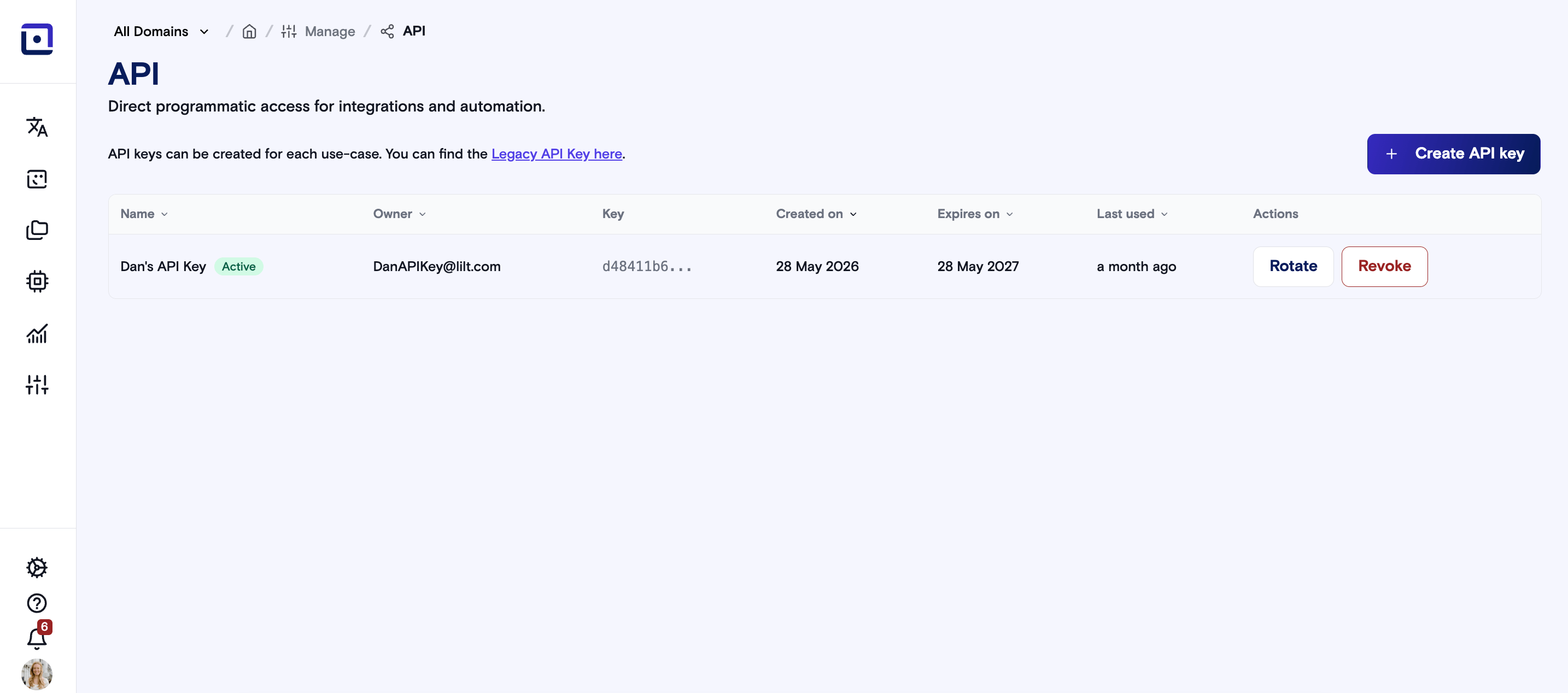 Congratulations, now you have everything you need to make your first Api call to LILT.
## Making your first API Call!
As a first step at LILT, you should examine the languages available for Language Translation. To do this we will access our [languages](/api-reference/languages/retrieve-supported-languages) end point. This end point is a good starting point as all you have to think about is authenticating.
To authenticate for the public LILT endpoint all you need is the LILT provided API Key from earlier.
```bash theme={null}
curl https://api.lilt.com/v2/languages?key={Your API Key here}
```
Then you should see a response that looks something like this:
```json theme={null}
{
"source_to_target": {
"en": {},
"...": "..."
},
"code_to_name": {
"aa": "Afar",
"ab": "Abkhazian",
"af": "Afrikaans",
"...": "..."
}
}
```
Congratulations on making your first API call with LILT!
Congratulations, now you have everything you need to make your first Api call to LILT.
## Making your first API Call!
As a first step at LILT, you should examine the languages available for Language Translation. To do this we will access our [languages](/api-reference/languages/retrieve-supported-languages) end point. This end point is a good starting point as all you have to think about is authenticating.
To authenticate for the public LILT endpoint all you need is the LILT provided API Key from earlier.
```bash theme={null}
curl https://api.lilt.com/v2/languages?key={Your API Key here}
```
Then you should see a response that looks something like this:
```json theme={null}
{
"source_to_target": {
"en": {},
"...": "..."
},
"code_to_name": {
"aa": "Afar",
"ab": "Abkhazian",
"af": "Afrikaans",
"...": "..."
}
}
```
Congratulations on making your first API call with LILT!