> ## Documentation Index
> Fetch the complete documentation index at: https://support.lilt.com/llms.txt
> Use this file to discover all available pages before exploring further.
# Anthropic Configuration
To configure Anthropic as an AI Provider, the customer only needs a single key.
### Access
Configuring the Anthropic provider in AI Providers will enable the customer to access all available services directly via Anthropic for Translate & Create, including:
* Sonnet 4.5
* Haiku 4.5
* Opus 4.1
* Opus 4.5
### Configuration steps
1. Retrieve the API Key from Anthropic. You can find your API key in your [Anthropic account](https://console.anthropic.com/) under API Keys. To get access to a key and to be able to use Anthropic, you'll need access to the respective API's. The API key will look similar to **sk-ant-api03-...**
2. Enter in LILT AI Providers configuration for Anthropic.
 ### Setting Anthropic as a Translation Provider
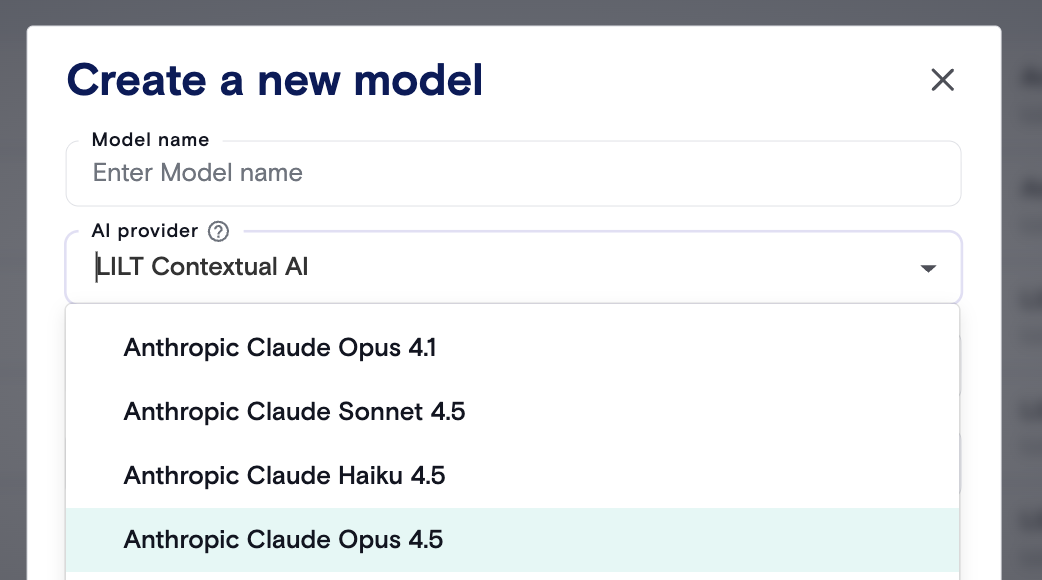
After configuring your API key in AI Providers, you can create a new Custom Model with one of the Anthropic models as your provider.
### Setting Anthropic as a Translation Provider
After configuring your API key in AI Providers, you can create a new Custom Model with one of the Anthropic models as your provider.
 ### FAQs
**What is an authentication key and how can I use it?**\
An API key is a code that allows you to use Anthropic directly in LILT Create or LILT Audio/Video-To-Text Translations. When integrating Anthropic into LILT Create, content creators can use this to create multi-lingual content from scratch.
### FAQs
**What is an authentication key and how can I use it?**\
An API key is a code that allows you to use Anthropic directly in LILT Create or LILT Audio/Video-To-Text Translations. When integrating Anthropic into LILT Create, content creators can use this to create multi-lingual content from scratch.