> ## Documentation Index
> Fetch the complete documentation index at: https://support.lilt.com/llms.txt
> Use this file to discover all available pages before exploring further.
# Bulk Document Actions
LILT's batch document actions help save you time by making document management and assignment as easy as possible. This article goes over the actions that can be performed on multiple documents. To learn about single document actions, see the [Document Actions](/kb/document-actions) article.
In order to perform actions on multiple documents at once, you will need to select the desired documents.
* Use the `Select all documents` button to select all Document cards.
* Use the `Deselect all documents` button to deselect all Document cards.
* Document cards can be selected and deselected individually by clicking on the checkbox next to the document name.
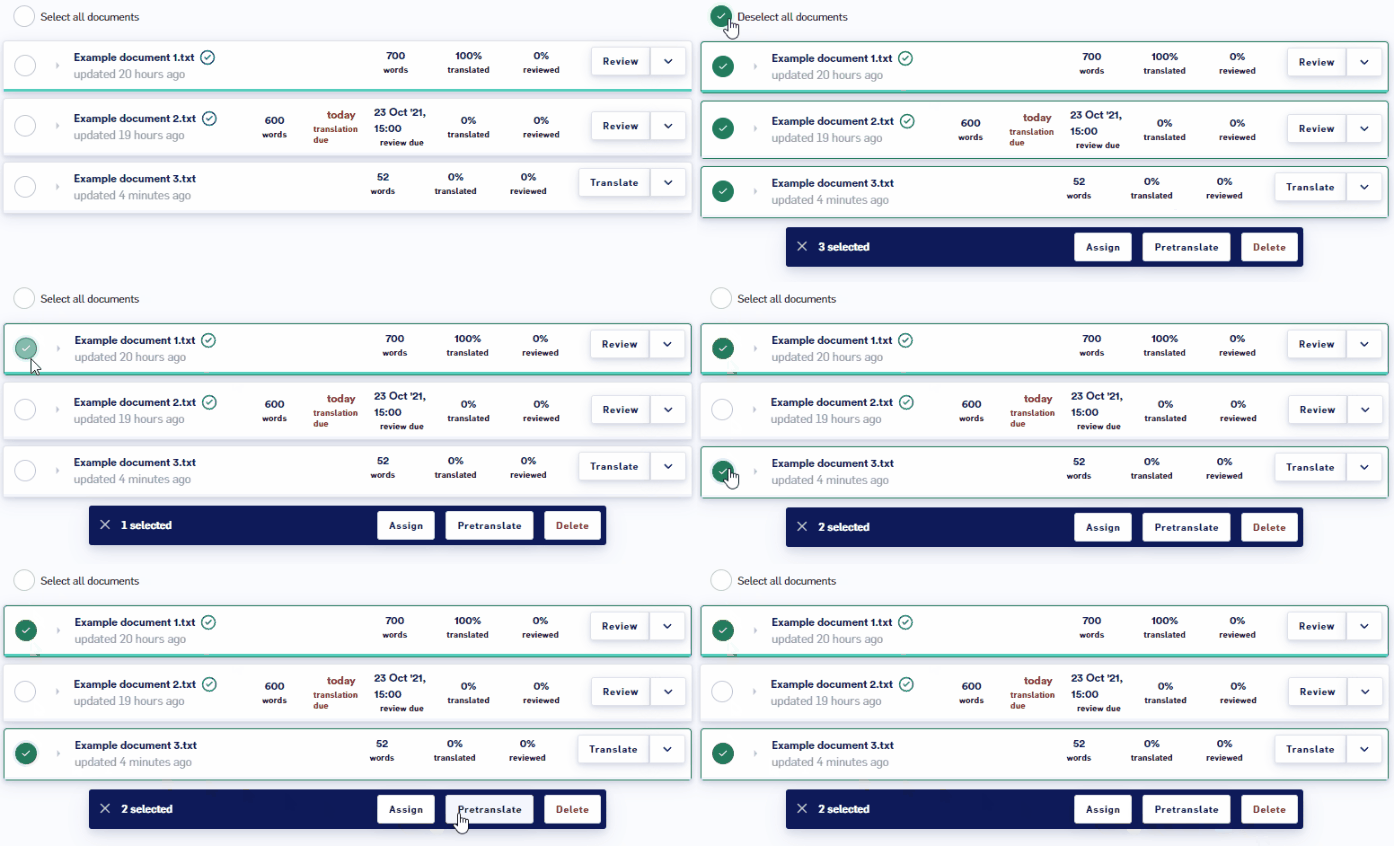 Once the desired Documents are selected, you can select one of the following options to perform:
* Assign
* Pretranslate
* Delete
These operations are described in the sections below.
## Bulk assigning
When one or more Document cards is selected, click the `Assign` button to assign a translator or a reviewer to the documents. You can also optionally set due dates for translators and reviewers. Once you have selected a translator or reviewer, clicking the `Assign` button will assign them to the document and send them an email from [noreply@em.LILT.com](mailto:noreply@em.lilt.com) letting them know they have been given an assignment.
For more information, see the [Document Actions](/kb/document-actions) article.
## Bulk pretranslating
When one or more Document cards is selected, click the `Pretranslate` button to [Instant Translate](/kb/pretranslating-documents) all the documents using the Data Source associated with the project.
## Bulk deleting
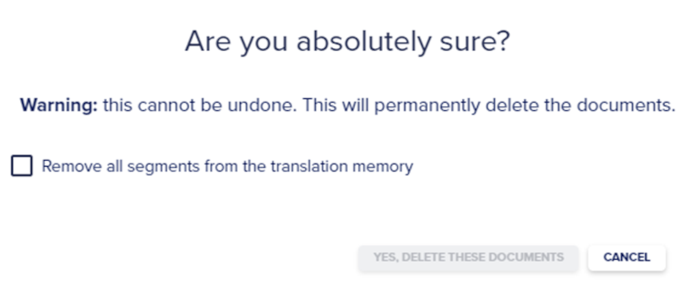
When one or more Document cards is selected, click the `Delete` button to bring up a popup form that confirms you want to permanently delete all the selected documents from the project.
Once the desired Documents are selected, you can select one of the following options to perform:
* Assign
* Pretranslate
* Delete
These operations are described in the sections below.
## Bulk assigning
When one or more Document cards is selected, click the `Assign` button to assign a translator or a reviewer to the documents. You can also optionally set due dates for translators and reviewers. Once you have selected a translator or reviewer, clicking the `Assign` button will assign them to the document and send them an email from [noreply@em.LILT.com](mailto:noreply@em.lilt.com) letting them know they have been given an assignment.
For more information, see the [Document Actions](/kb/document-actions) article.
## Bulk pretranslating
When one or more Document cards is selected, click the `Pretranslate` button to [Instant Translate](/kb/pretranslating-documents) all the documents using the Data Source associated with the project.
## Bulk deleting
When one or more Document cards is selected, click the `Delete` button to bring up a popup form that confirms you want to permanently delete all the selected documents from the project.