> ## Documentation Index
> Fetch the complete documentation index at: https://support.lilt.com/llms.txt
> Use this file to discover all available pages before exploring further.
# Contentstack
The LILT Connector for Contentstack can help you expand your store accessibility to international markets by bridging language barriers with LILT’s translation services.
* Translate all of your site’s content, including product descriptions, checkout pages, and customer service messages.
* Choose from 60+ languages to cater to your target audience’s needs.
* Preview translations for accuracy and brand suitability before publishing.
## Getting started
1. Sign in to your Contentstack account.
2. Go to the Contentstack [marketplace](https://www.contentstack.com/marketplace) and search for "[LILT Connector.](https://www.contentstack.com/marketplace/lilt)"
3. Install the app and follow the on-screen instructions to set it up.
4. When the app is installed, you’ll need to provide a LILT Token to complete the connection.
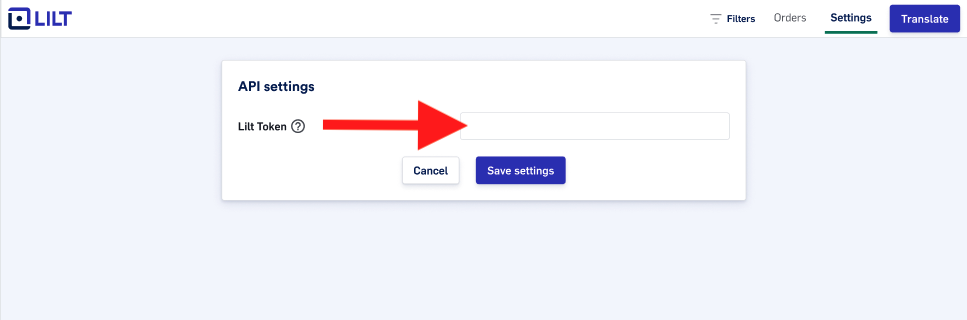 5. Contact us through [this link](https://resources.lilt.com/contact-us) and tell us “I need a LILT token for the Contentstack app”.
6. Our team will reach out to help with everything needed to start translating your Contentstack site, including brand-alignment documentation and customized configuration for your LILT Connector.
## How to send content for translation
1. Select the pages or content you want to translate.
2. Choose between *Instant translation* (machine translation with Contextual AI) or *Verified translation* (which includes a quality guarantee).
5. Contact us through [this link](https://resources.lilt.com/contact-us) and tell us “I need a LILT token for the Contentstack app”.
6. Our team will reach out to help with everything needed to start translating your Contentstack site, including brand-alignment documentation and customized configuration for your LILT Connector.
## How to send content for translation
1. Select the pages or content you want to translate.
2. Choose between *Instant translation* (machine translation with Contextual AI) or *Verified translation* (which includes a quality guarantee).
 3. Choose the target language(s) for your website translation.
4. Click `Translate`.
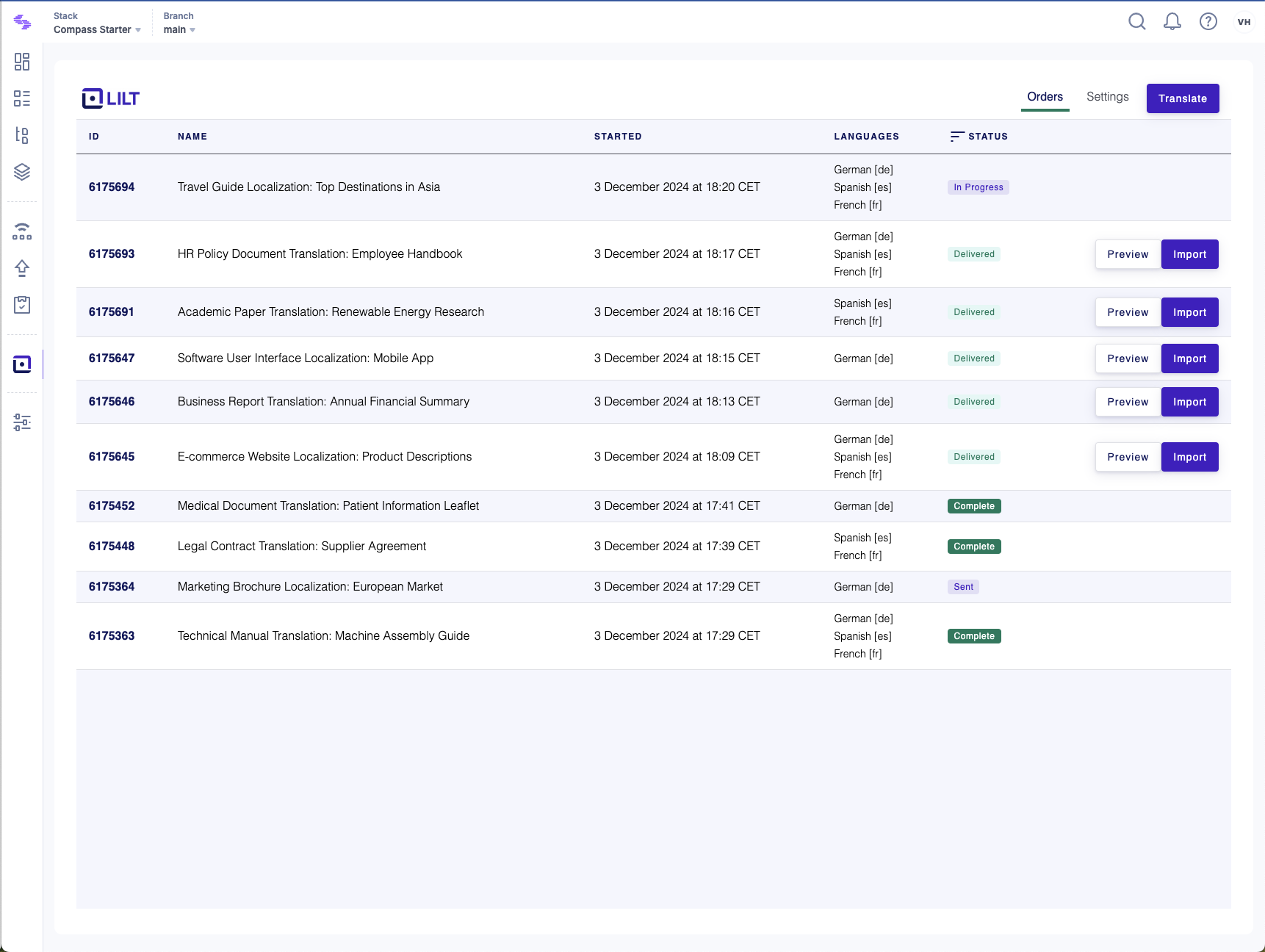
It's that simple! When your translations are complete, you can import, preview and publish translated content, all within the Contentstack app.
3. Choose the target language(s) for your website translation.
4. Click `Translate`.
It's that simple! When your translations are complete, you can import, preview and publish translated content, all within the Contentstack app.