> ## Documentation Index
> Fetch the complete documentation index at: https://support.lilt.com/llms.txt
> Use this file to discover all available pages before exploring further.
# DeepL Configuration
To configure DeepL the customer only needs a single key. If the customer can login to DeepL, grabbing the key should be simple.
DeepL has their own instructions [here](https://support.deepl.com/hc/en-us/articles/360020695820-Authentication-Key).
1. Sign into DeepL (Username and PWD)
2. Click on [account](https://www.deepl.com/account/summary)
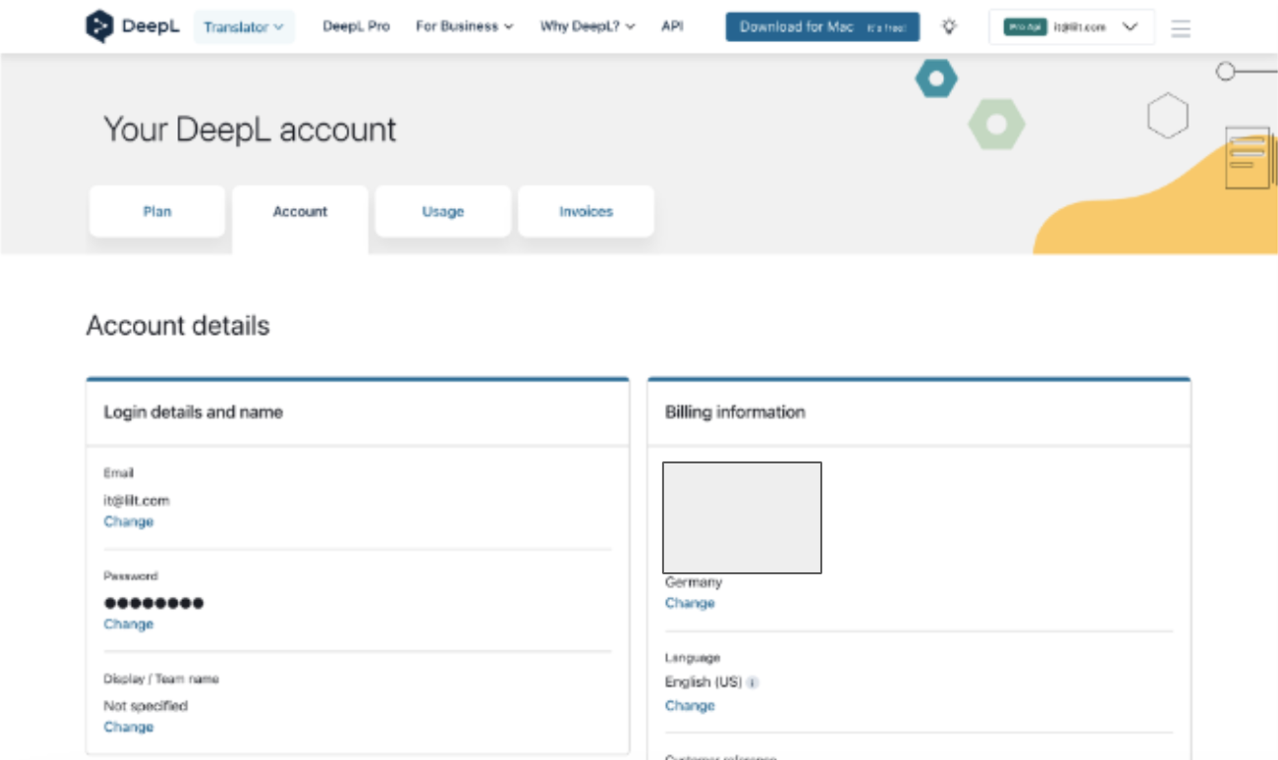 3. On Accounts page, scroll down to Authentication Key for DeepL API.
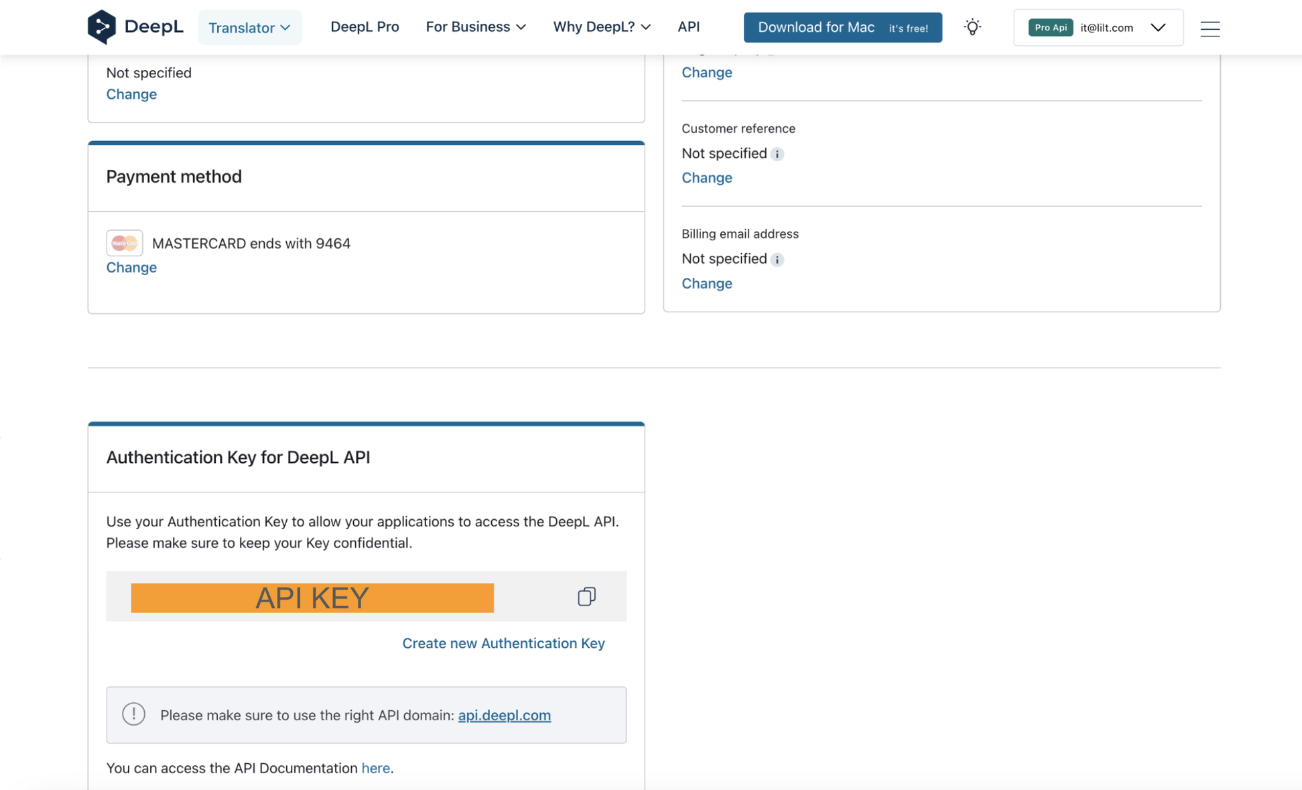 4. Copy key from DeepL and input into LILT. Click enable for your organization, turn on terminology if customer is interested. Click “Save”.
### FAQ
Q: Is formality turned on or off by default
A: Formality is turned off so that terminology is respected.
4. Copy key from DeepL and input into LILT. Click enable for your organization, turn on terminology if customer is interested. Click “Save”.
### FAQ
Q: Is formality turned on or off by default
A: Formality is turned off so that terminology is respected.