> ## Documentation Index
> Fetch the complete documentation index at: https://support.lilt.com/llms.txt
> Use this file to discover all available pages before exploring further.
# AI Only User Role
## Overview
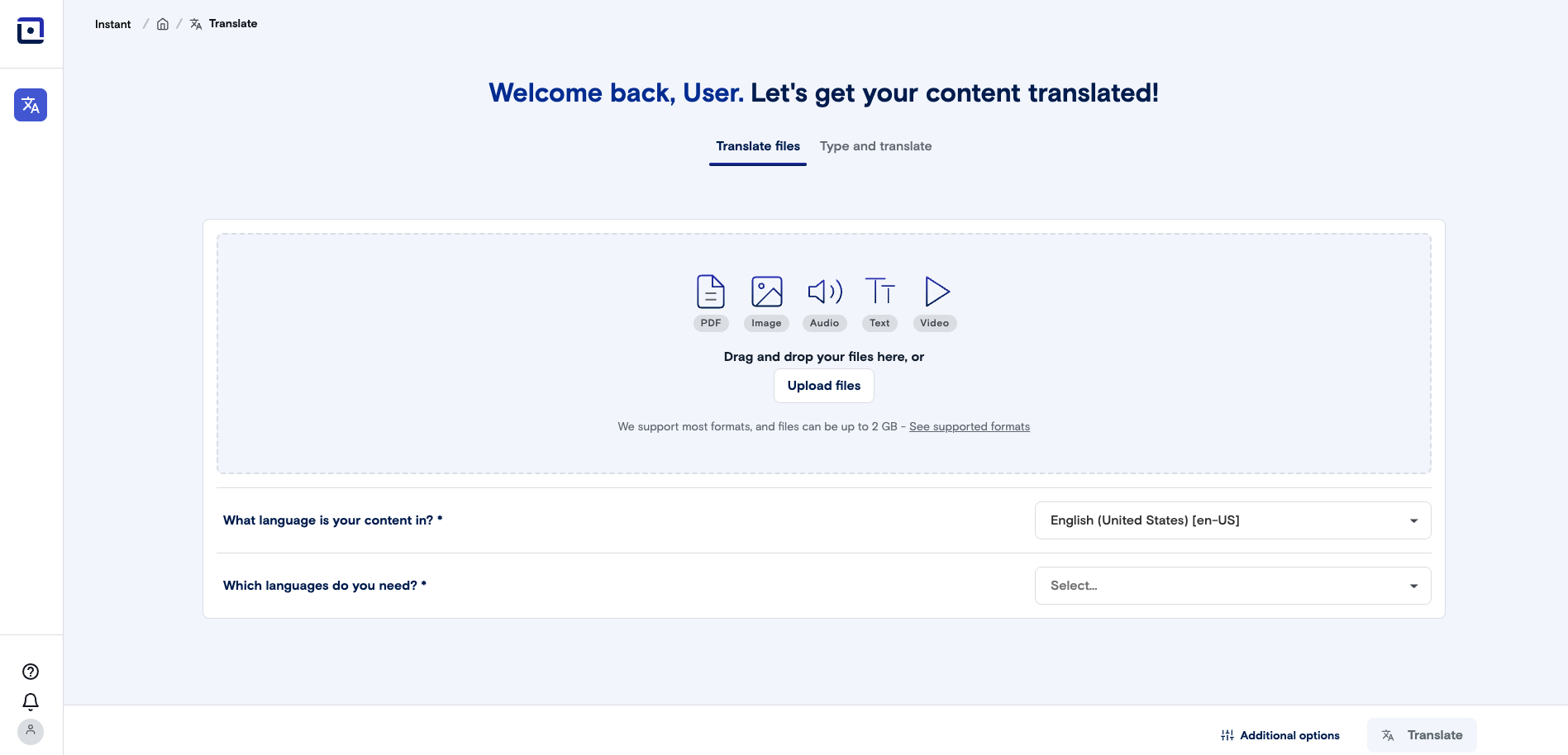
The AI Only user role & home view provides quick access to all available language models while restricting access to other platform features. This streamlined interface is designed for organizations that need rapid AI translation without full platform access.
Users in an AI Only role cannot access verified translations, user management, or view current or past translation projects.
 ## How to setup
1. As an Admin user, navigate to Manage > Users. Select the Role tab, and click "New role".
## How to setup
1. As an Admin user, navigate to Manage > Users. Select the Role tab, and click "New role".
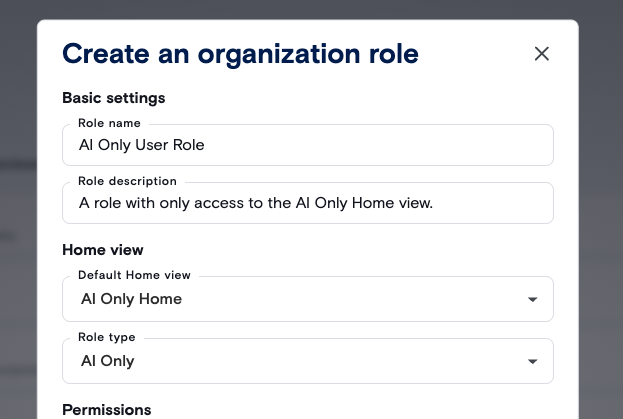
 2. Create an AI Only User Role. Set Default Home view as "AI Only Home" and Role type as "AI Only".
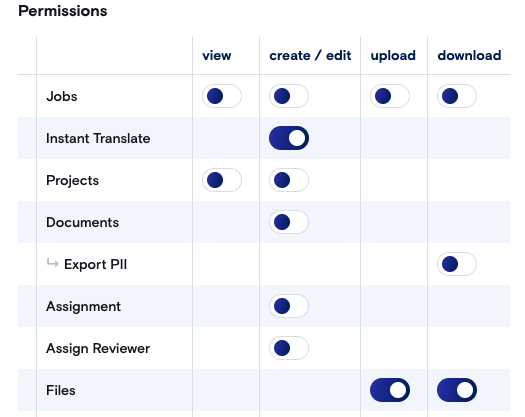
 3. Enable permissions for the role.
* Enable Create/Edit permissions for "Instant Translate".
* Enable Upload/Download permissions for "Files".
3. Enable permissions for the role.
* Enable Create/Edit permissions for "Instant Translate".
* Enable Upload/Download permissions for "Files".
 4. Navigate to Users and User Management. Set the new Instant Translate Role for an existing user.
 *NOTE: Users can only be assigned either the Instant Translate Homepage role or other organizational roles—not both simultaneously. Users with the Instant Translate Homepage role will have exclusive access to the instant translation interface and cannot access other platform features.*