> ## Documentation Index
> Fetch the complete documentation index at: https://support.lilt.com/llms.txt
> Use this file to discover all available pages before exploring further.
# Manage Memory and Termbase
## Create new model and add custom assets (Translation memory & Termbase)
* Go to `Contextual AI > Models`
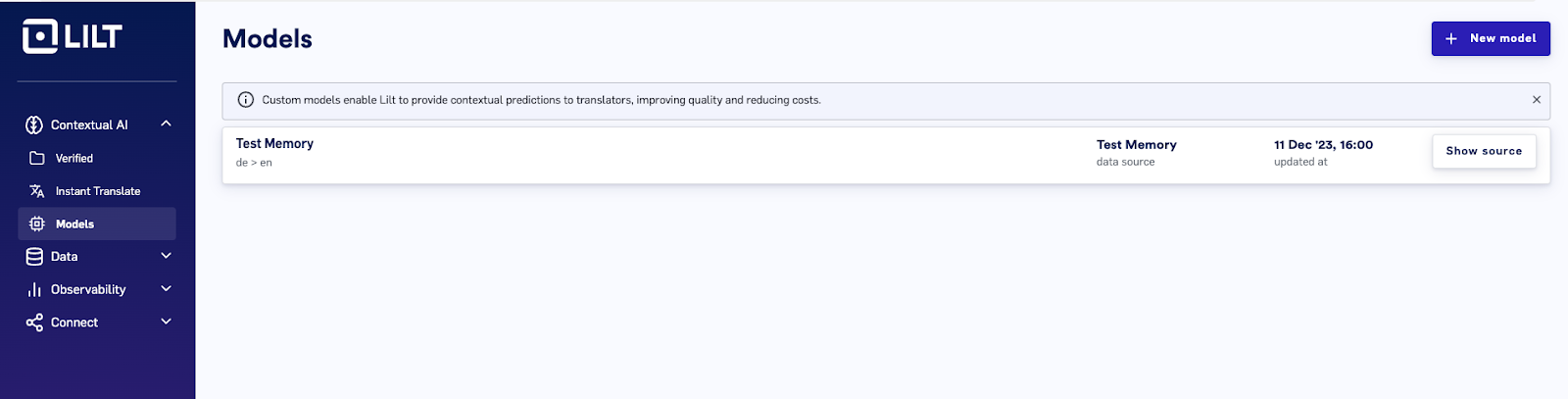 * Click on `New model` and enter `Source language`, `Target language` and `Reference data source`
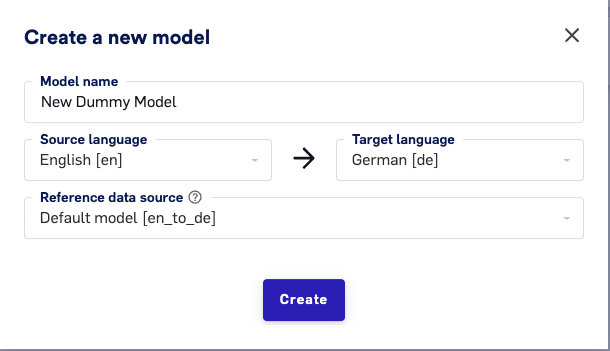 If a default model doesn't exist for that language pair, it will also be created
 * To view the model entries, click on `Show source`
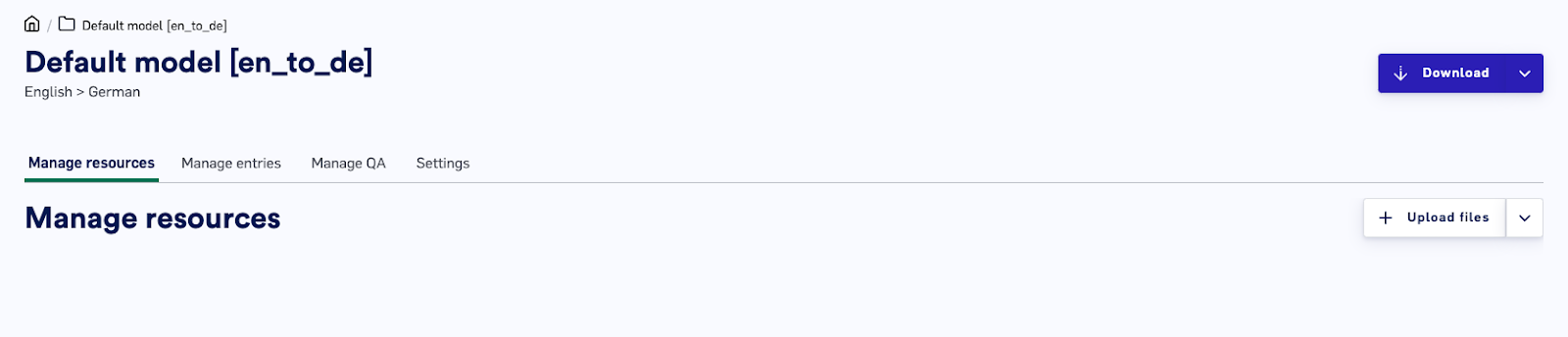 * Use `Upload files` option to import the `Memory(TM)` and `Termbase(TB)` entries
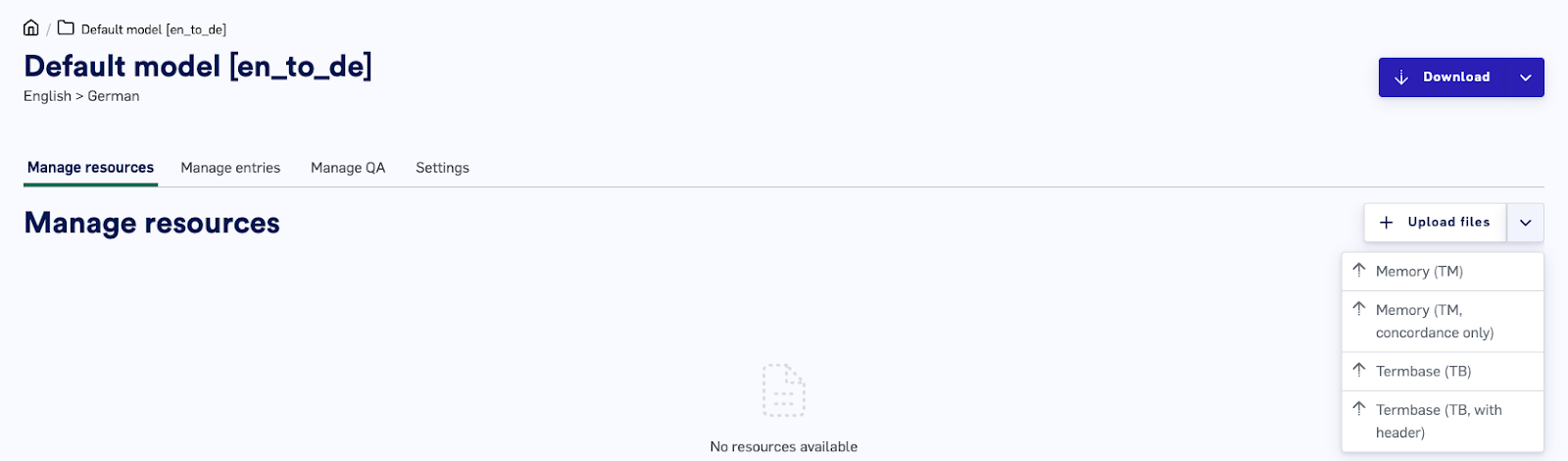 For larger datasets, upload the Memory file in TMX or TMX.zip format, and the Termbase in any of the following formats: TBX, TSV, CSV, XLSX, TMG. The file size limit is 200MB.
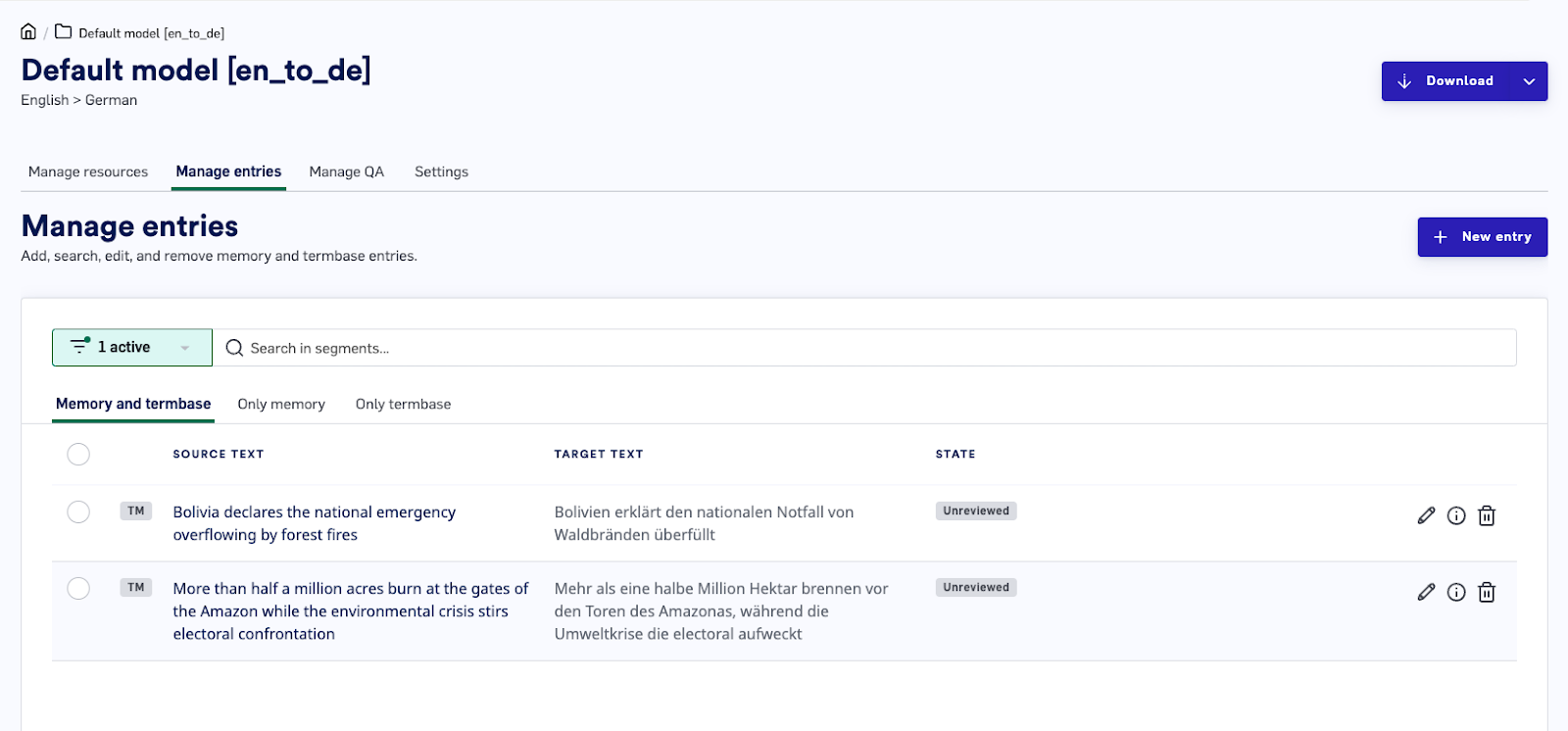
* Use `Manage entries` to manage Memory and Termbase
For larger datasets, upload the Memory file in TMX or TMX.zip format, and the Termbase in any of the following formats: TBX, TSV, CSV, XLSX, TMG. The file size limit is 200MB.
* Use `Manage entries` to manage Memory and Termbase
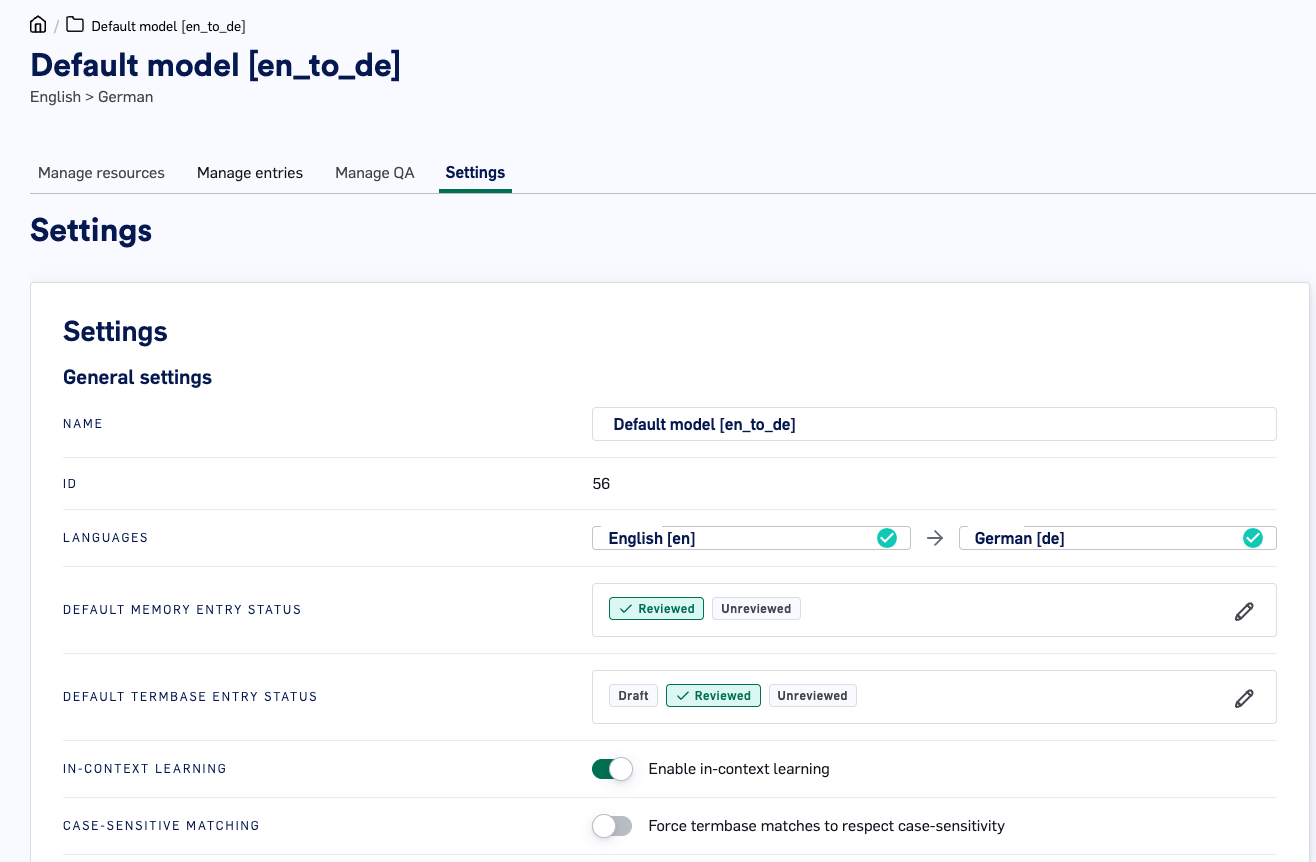
 * (Optional) Change model `settings` and set `Reviewed` by default
 * Create a New entry to do the following
* Create entry to train the memory. To do this, add a `Memory` type entry
* Create a New entry to do the following
* Create entry to train the memory. To do this, add a `Memory` type entry
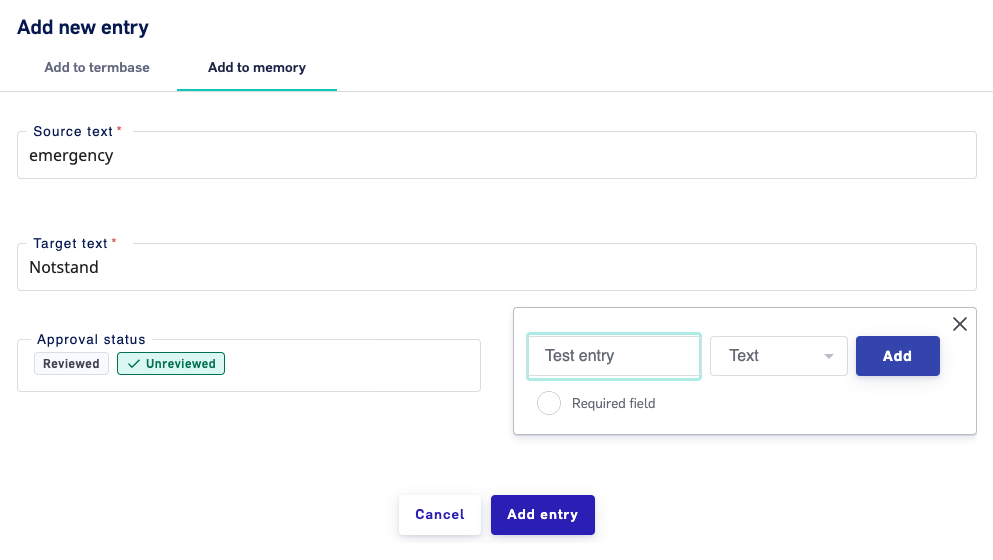 * Create a `Termbase` entry to overwrite the memory without training it. This is same as glossary or dictionary items
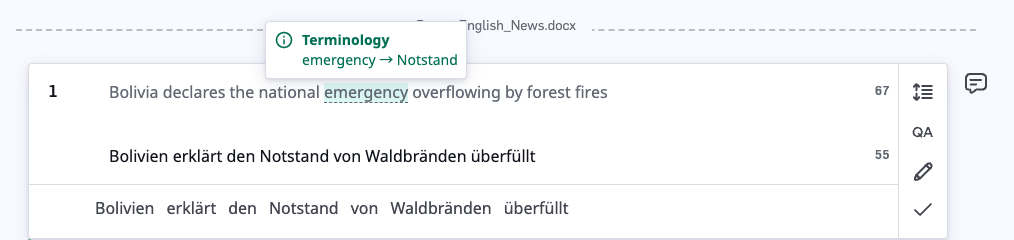
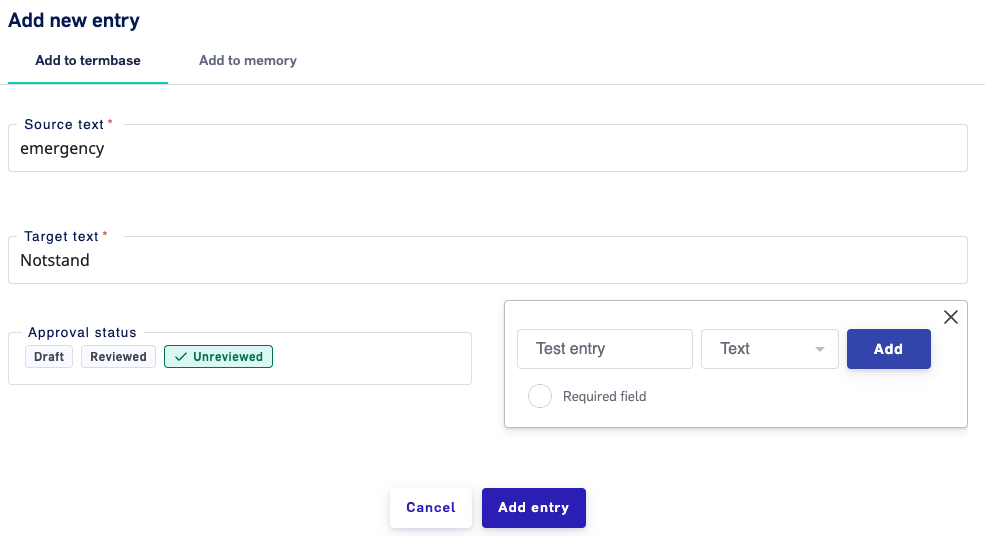 * Added `Termbase` entry will be highlighted during the translation