> ## Documentation Index
> Fetch the complete documentation index at: https://support.lilt.com/llms.txt
> Use this file to discover all available pages before exploring further.
# Role Based Access Control
Teams are easy to manage on LILT with Role-Based Access Control (RBAC). The system works by giving different permissions to different roles and then assigning each team member to one of the roles. RBAC comes with [Default Roles](/kb/default-roles) for administrators, managers, translators, reviewers, customer reviewers, customers, and LILT Create users. If the predefined roles don’t match your needs, you can create[Custom Roles](/kb/custom-roles) to tailor LILT to your organization’s structure.
Administrators and Managers can access the RBAC tools by clicking on the `Manage`> Users and then clicking on the Rolestab. Note that the `Roles` page is only available to Administrators.
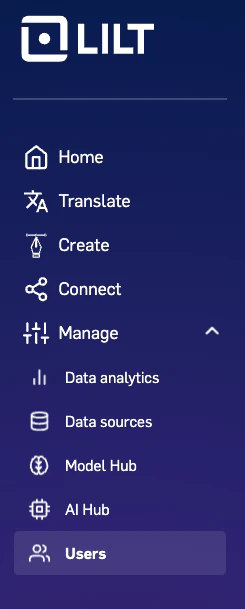 Within these pages, you have access to all the team management tools you need to:
* [add users](/kb/adding-users-to-an-organization)
* [remove users](/kb/removing-organization-members)
* [change user roles](/kb/reassigning-user-roles)
* [create, edit, and delete roles](/kb/custom-roles)
Within these pages, you have access to all the team management tools you need to:
* [add users](/kb/adding-users-to-an-organization)
* [remove users](/kb/removing-organization-members)
* [change user roles](/kb/reassigning-user-roles)
* [create, edit, and delete roles](/kb/custom-roles)