> ## Documentation Index
> Fetch the complete documentation index at: https://support.lilt.com/llms.txt
> Use this file to discover all available pages before exploring further.
# Segment State Indicators
The segment state indicators within [LILT Translate](/kb/introduction-to-lilt-translate) display the state of each segment to translators and reviewers at a glance, allowing them to spend their time efficiently when working within LILT Translate.
## Translation indicators
When a translator confirms a segment, a \*\*single checkmark icon \*\*is displayed on the left side of the confirmed segments. This icon indicates that the segment is confirmed and ready for review. Unconfirmed segments do not have any checkmarks.
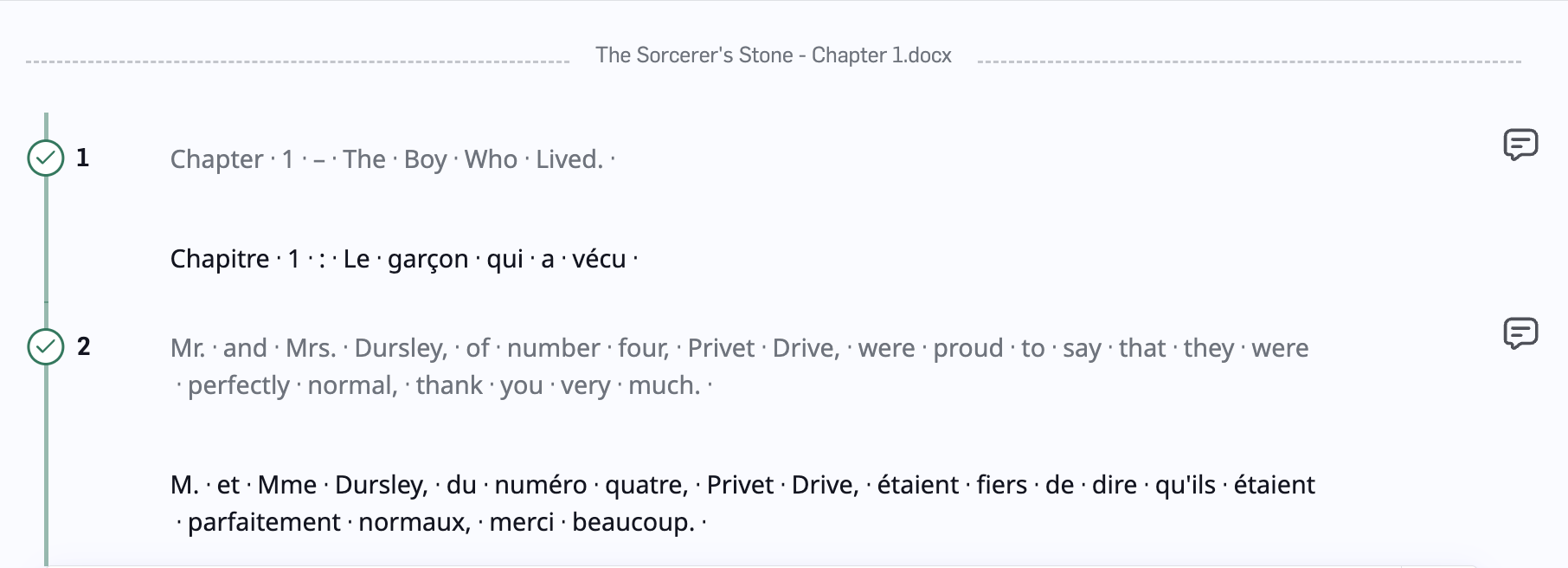 Confirmed segment state
## Review indicators
Once a reviewer starts working on the document, they will see segments with **single checkmarks**, indicating that those segments are ready for review. When a reviewer accepts a segment, the icon will convert to **double checkmarks in a solid green circle**.
Review segment state
## Locked segment state
You may encounter locked segments during your review. For example, if [Review Sampling](/kb/review-sampling) is enabled, segments that are not included in the review sample are marked with a **padlock icon in a gray circle**.
Confirmed segment state
## Review indicators
Once a reviewer starts working on the document, they will see segments with **single checkmarks**, indicating that those segments are ready for review. When a reviewer accepts a segment, the icon will convert to **double checkmarks in a solid green circle**.
Review segment state
## Locked segment state
You may encounter locked segments during your review. For example, if [Review Sampling](/kb/review-sampling) is enabled, segments that are not included in the review sample are marked with a **padlock icon in a gray circle**.
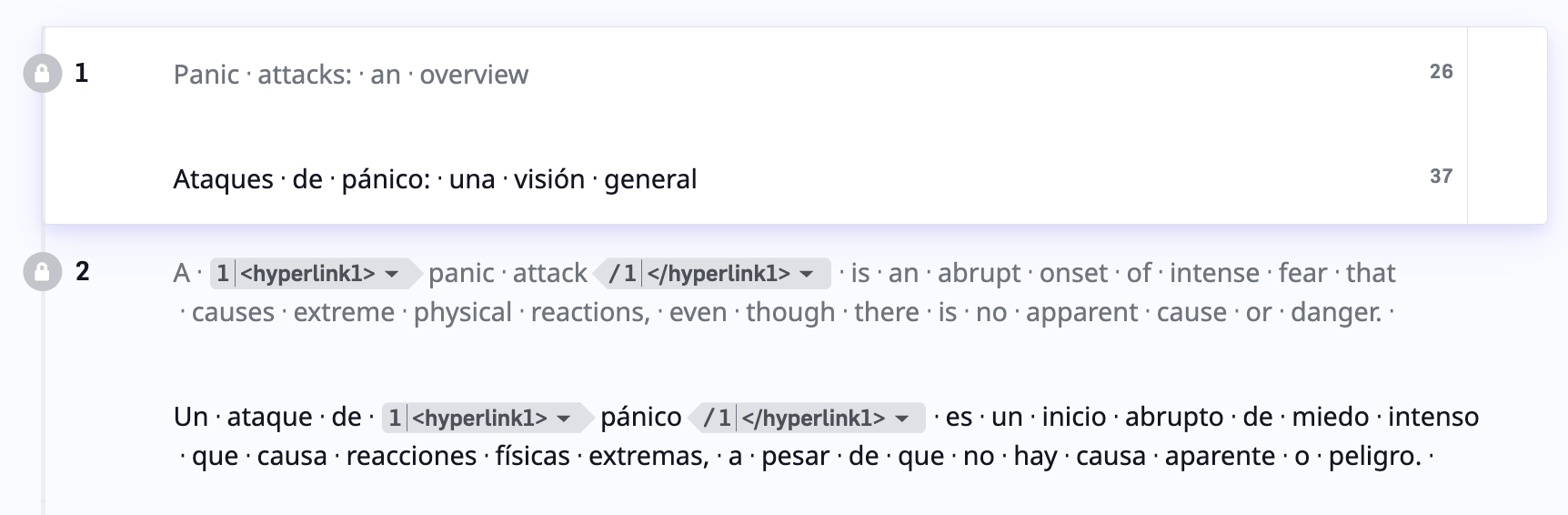 Locked segments from Review Sampling
Organizations may allow linguists to unlock and update locked segments during the Review workflow stage. This is intended as a safety valve specifically if errors are spotted during a Review so you can quickly and easily correct any errors present. To unlock a segment, click on the unaccept button. Make any necessary edits and re-accept the segment.
*Please note: If the segment you unaccepted was an exact match, an
Locked segments from Review Sampling
Organizations may allow linguists to unlock and update locked segments during the Review workflow stage. This is intended as a safety valve specifically if errors are spotted during a Review so you can quickly and easily correct any errors present. To unlock a segment, click on the unaccept button. Make any necessary edits and re-accept the segment.
*Please note: If the segment you unaccepted was an exact match, an  icon will appear and share that information upon hover.*
Unlocking and updating locked segments
icon will appear and share that information upon hover.*
Unlocking and updating locked segments