

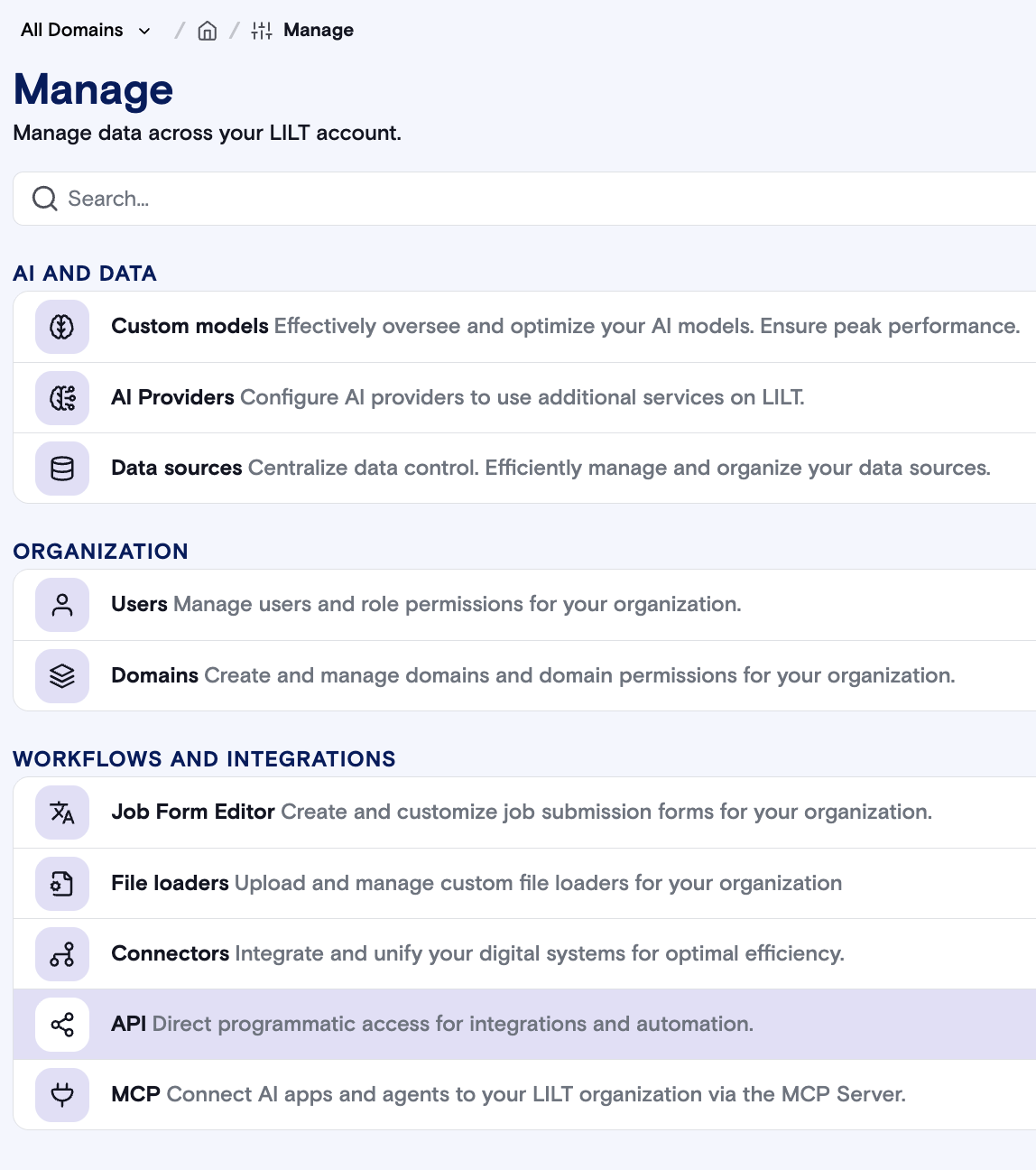
Legacy API Key
Your original API key is displayed at the top of this section. This key continues to work as before and is not affected by the introduction of API tokens.
Individual API Tokens
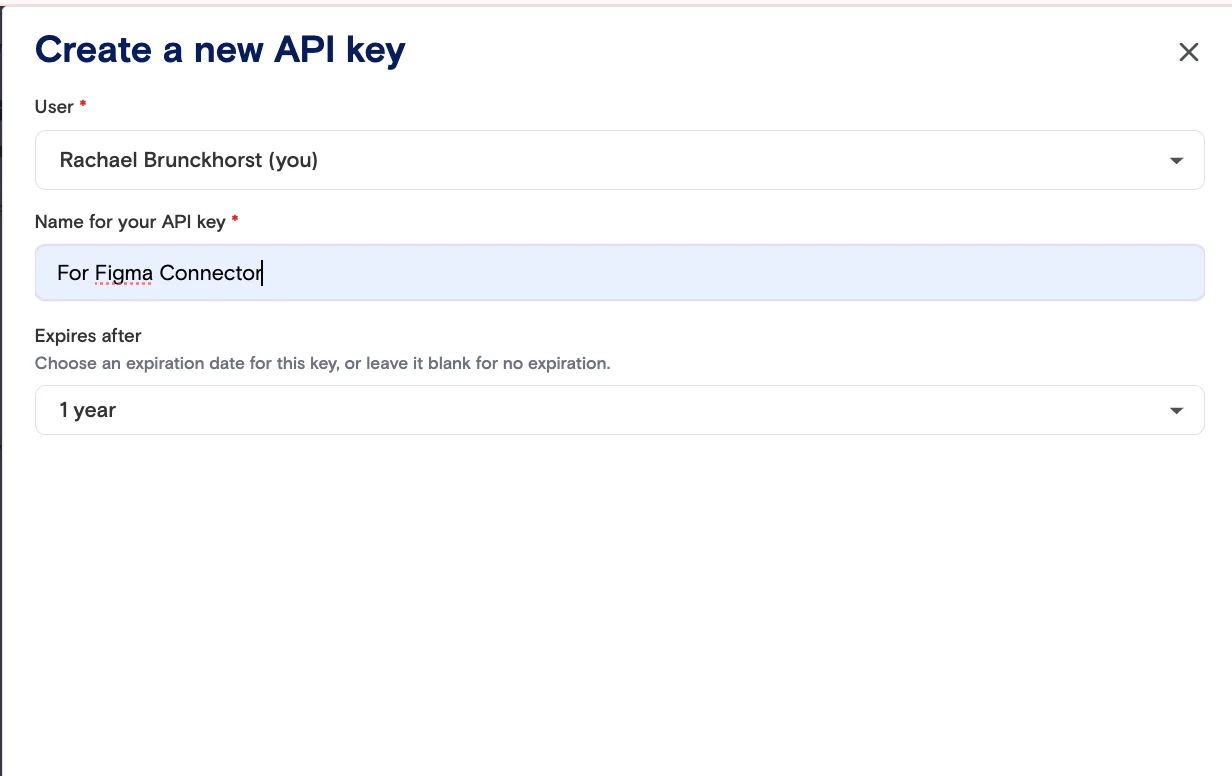
The API Tokens section allows you to create and manage multiple named tokens for different integrations. This is useful when you connect several systems to LILT (e.g., a CMS connector, a CI pipeline, and an internal tool) and want to manage each one independently. Creating a token- Click Create Token.
- Enter a descriptive name (e.g., “Contentful connector”).
- Select who this token is for. Typically this will be the token creator but could be another customer contact or admin
The API key permissions will match the permissions of the user role being assigned that key. - Optionally set an expiration date.
- Click Create. The full token is displayed once — copy it immediately and store it securely. It cannot be retrieved later.
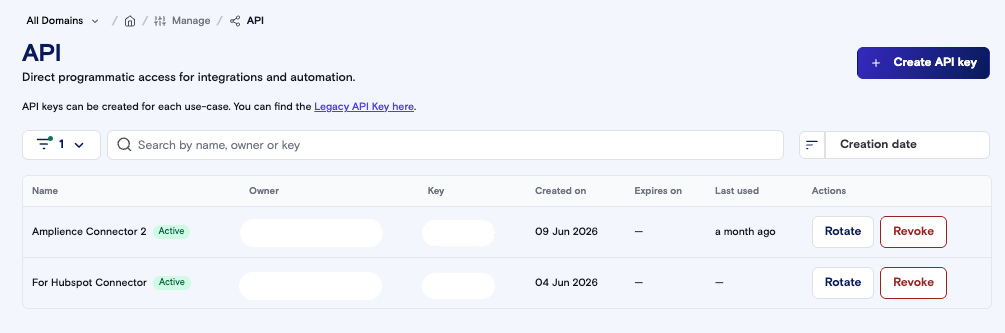
lilt_abc1...), creation date, expiry date and when it was last used. Status is shown as a badge: Active (green), Expired (gray) or Revoked (red).
By default, the list shows Active tokens only.
Search: Use the search field to find a token by name, owner or key. Click ✕ to clear the search.
Filter: Click Filters to show Active, Expired or Revoked tokens. Applied filters appear as chips you can remove.
Sort: Sort by creation date, expiry date or last used date, ascending or descending. Tokens expiring within 30 days show their expiry date in orange; expired tokens show it in red.
Actions:
- Rotate (active tokens): generates a new secret while keeping the same configuration.
- Revoke (active tokens): permanently disables the token.
- Delete (expired or revoked tokens): removes the token from your list. You’ll be asked to confirm. Active tokens can’t be deleted — revoke them first.
- Each connector has it’s own API key
- Each user gets their own API key (e.g. if I’m using an API key for some sort of integration, I generate a new API key)
- You can only access/copy an API key at the time of creation. You can’t go back and copya key after it’s been initially generated.
- Temporary uses should have temporary keys but connectors should have non-expiring keys or expiration dates long in the future (because of the risks of connector API keys expiring)
- Regularly delete expired and revoked tokens to keep your list easy to manage.
- Sort by expiry date to find tokens that are about to lapse, and rotate them before they expire.
?key= query parameter or Basic Auth) as the legacy key, so no changes are needed in existing SDKs or CMS plugins. For more information, see our API documentation.