

Access
Configuring the Anthropic provider in AI Providers will enable the customer to access all available services directly via Anthropic for Translate & Create, including:- Sonnet 4.5
- Haiku 4.5
- Opus 4.1
- Opus 4.5
Configuration steps
- Retrieve the API Key from Anthropic. You can find your API key in your Anthropic account under API Keys. To get access to a key and to be able to use Anthropic, you’ll need access to the respective API’s. The API key will look similar to sk-ant-api03-…
-
Enter in LILT AI Providers configuration for Anthropic.

Setting Anthropic as a Translation Provider
After configuring your API key in AI Providers, you can create a new Custom Model with one of the Anthropic models as your provider.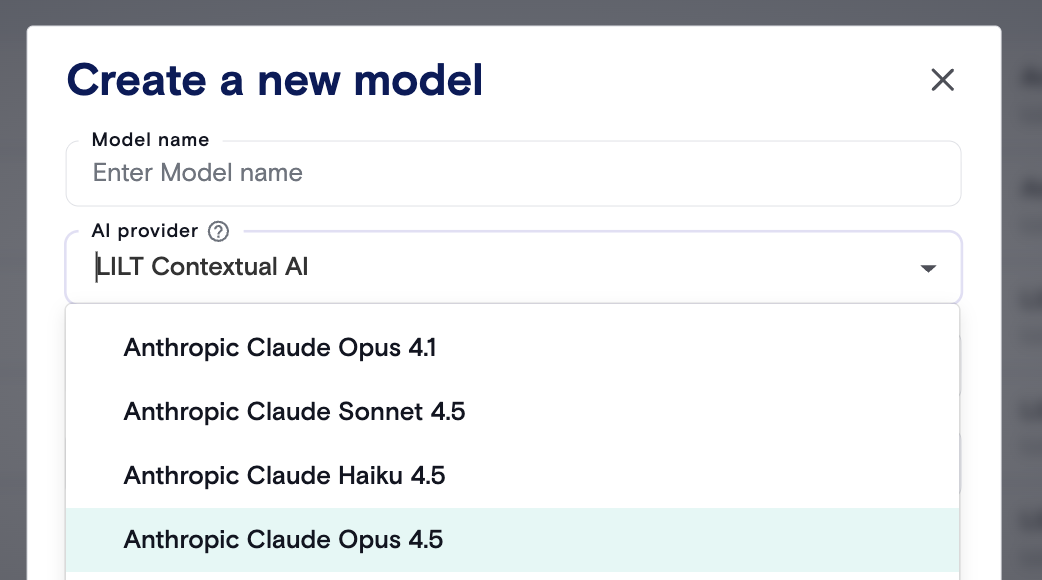
FAQs
What is an authentication key and how can I use it?An API key is a code that allows you to use Anthropic directly in LILT Create or LILT Audio/Video-To-Text Translations. When integrating Anthropic into LILT Create, content creators can use this to create multi-lingual content from scratch.