

Structured (Text-based) PDF Translation
Lilt supports the direct upload, translation, and export of text-based PDF documents that will retain original formatting. This ensures the translated output retains elements like text columns, tables, and images in their correct positions. This functionality is available for both Instant and Verified Translation jobs. You can upload one or more PDFs, and the system will automatically handle the translation and reconstruction of the final document. The translated output can be downloaded as a PDF or a TXT file, individually or in a batch.How do I know if my PDF is text-based?
- Try to select text: Open the PDF in a PDF viewer (like Adobe Acrobat Reader). If you can click and drag your mouse to select the text, it’s likely a text-based PDF. If you can only select rectangular areas that contain the text as part of an image, it’s image-based.
- Fonts tab: If the PDF is text-based, this tab will list the fonts used in the document. If the PDF is image-based, this tab will either be empty or not present.
- Zoom in closely: Zoom in significantly on the PDF. In a text-based PDF, the text will remain crisp and clear, even at high zoom levels. In an image-based PDF, the text will become pixelated or blurry as you zoom in.
- Search for and copy/paste text: Use the PDF viewer’s search function (usually Ctrl+F or Cmd+F). If you can search for and find specific words or phrases within the document, it’s a text-based PDF. If the search function doesn’t find anything, it’s likely an image-based PDF. If you can copy and paste text from the PDF, it’s also a strong indicator that it’s a text-based PDF.
- Examine the PDF properties: In Adobe Acrobat Reader, you can go to File > Properties. Look for information about the PDF version, application used to create the PDF, and whether the document contains text or images. This information can offer clues about the PDF’s structure.
How It Works
- Uploading PDFs:
- Upload a PDF using unified job submission. LILT will process the PDF to extract the text while preserving the layout and formatting information.
- Translation Process:
- The extracted text is translated using either Instant or Verified Translation, based on your workflow selection. For Instant translation, the toggle for “Receive an expert-verified translation” should be set to off.
- Once the translation is complete, Lilt uses a specialized reconstruction service to reassemble the translated text back into the original PDF layout. This ensures that the final output mirrors the source document’s structure, including things like column breaks, image placement, and table alignment.
- Downloading Translated Files:
- Once the translation is complete, you can download the output files from the Project (Language) level.
- From the document list, select the translated PDF(s) you wish to download.
- You have two download options:
- Download: This option provides the translated document with its original formatting intact.
- Download TXT: This option downloads a plain text file containing only the translated text.
Supported Features
- Input Formats: Structured (text-based) PDF
- Output Formats: PDF, TXT
- Translation Types: Instant and Verified Translation
- Batch Actions: Download multiple translated files at once.
Important Notes
- PDF export is currently only supported for same-direction languages. For example, EN <> AR is not supported as English is Left-To-Right and Arabic is Right-To-Left. We are working to be able to support this, and will share an update once available. In cases like this, the download will only be available as a TXT file.
- This feature is designed for text-based PDFs. Scanned PDFs or images with text may not translate correctly. For scanned PDFs or images - please use OCR and submit either through Image Translation or Scanned PDF Translation.
- While we aim to perfectly replicate the original layout, minor formatting differences may occur depending on the complexity of the source document.
- Support for DOCX output is a planned future enhancement.
Images and Scanned PDFs Translation
Translating an image or scanned PDF in LILT is very similar to the text translation workflow you’re used to, and is available for both Instant and Verified Translation jobs.How It Works
-
Upload Image or Scanned PDF:
- Upload a PDF using unified job submission. You will need to have an AI Provider configured.
-
Text extraction process:
- The extracted text is translated using either Instant or Verified Translation, based on your workflow selection. For Instant translation, the toggle for “Receive an expert-verified translation” should be set to off.
- In Additional Options, select whether you want to review the extracted text before translation.
-
LILT will begin extracting the text.
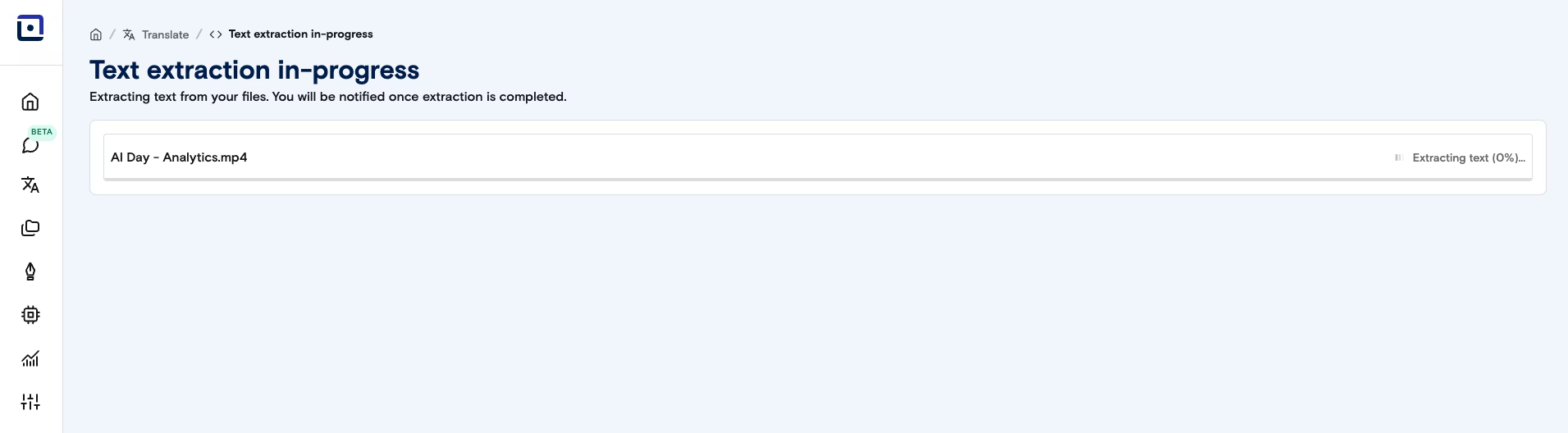
-
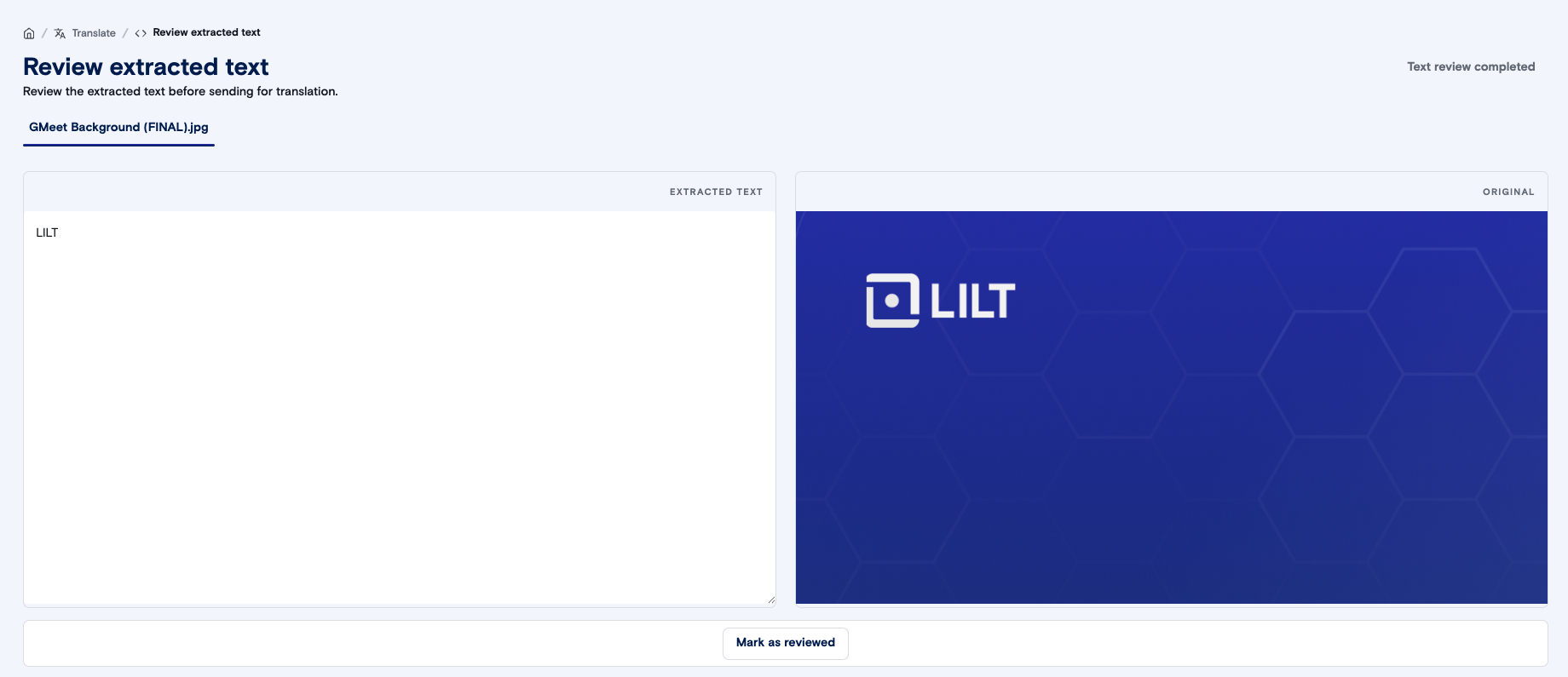
If you selected “Review extracted text”, you have the opportunity to make any necessary changes to the extracted text and timestamps. Once you’re satisfied with the source text, click on “Mark as reviewed” and then “Text review completed”.
- If you selected an Instant translation, LILT will then use your selected custom model to instantly translate the text.
-
If you selected a Verified Translation, LILT will send your extracted text to our experts for a translation.

Supported Features
- Input Formats: Images and Scanned PDFs
- Output Formats: TXT, unless you have requested and paid for additional post-processing with your LILT Production team
- Translation Types: Instant and Verified Translation
- Batch Actions: Download multiple translated files (in TXT form) at once.