

How It Works
-
Upload audio file:
- Upload your audio file using unified job submission. You will need to have an AI Provider configured.
- Select whether you want a verified or instant translation. For Instant translation, the toggle for “Receive an expert-verified translation” should be set to off.
- In Additional Options, select whether you want to review the extracted text before translation.
-
LILT will begin extracting the text.

-
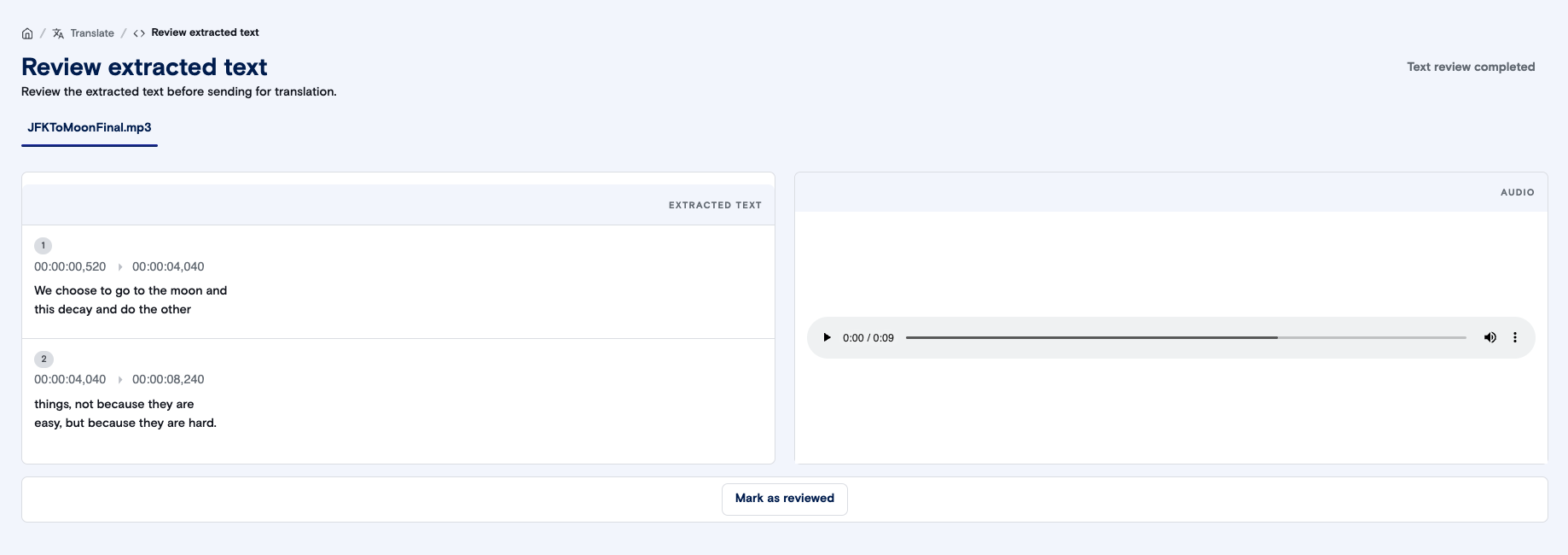
If you selected “Review extracted text”, you have the opportunity to make any necessary changes to the extracted text and timestamps. Once you’re satisfied with the source text, click on “Mark as reviewed” and then “Text review completed”.
- If you selected an Instant translation, LILT will then use your selected custom model to instantly translate the text.
- If you selected a Verified Translation, LILT will send your extracted text to our experts for a translation.