

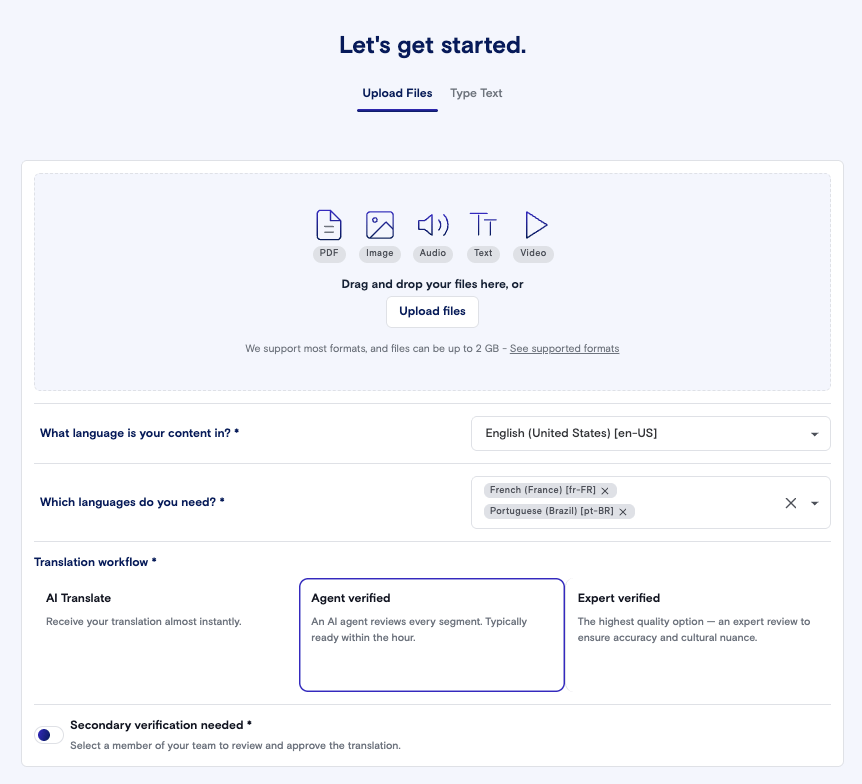
How Agent Verified works
- Your configured AI model, from LILT or a third-party AI provider, translates any segment that isn’t already a 100% or 101% match in your Data Source.”
- The AI Review agent checks those segments against your style guide, terminology and QA rules, and corrects errors such as mistranslations, omissions and grammar.
- Tags and formatting are placed back into the translated file.
- LILT delivers the job and notifies you by email and in the app.
Submit a job with Agent Verified
- Start a new job and upload your files.
- Choose your source and target languages.
- Under translation options, select Agent verified.
- Turn on Secondary Review if you want someone on your team to review the translations before delivery. If it’s off, the job is delivered without opening the editor.
- Fill in any custom job properties your organization uses.
- Check the quote, then click Submit.
Supported content
Agent Verified works with the same document formats as AI Translate. It isn’t available for:- Image, audio and archive files
- Video files without an attached subtitle file
- ICU plural content
- Files that need pre- or post-processing
Track and download your translation
Agent Verified jobs are labeled Agent verified on the Jobs page. To see only these jobs, filter by Agent verified.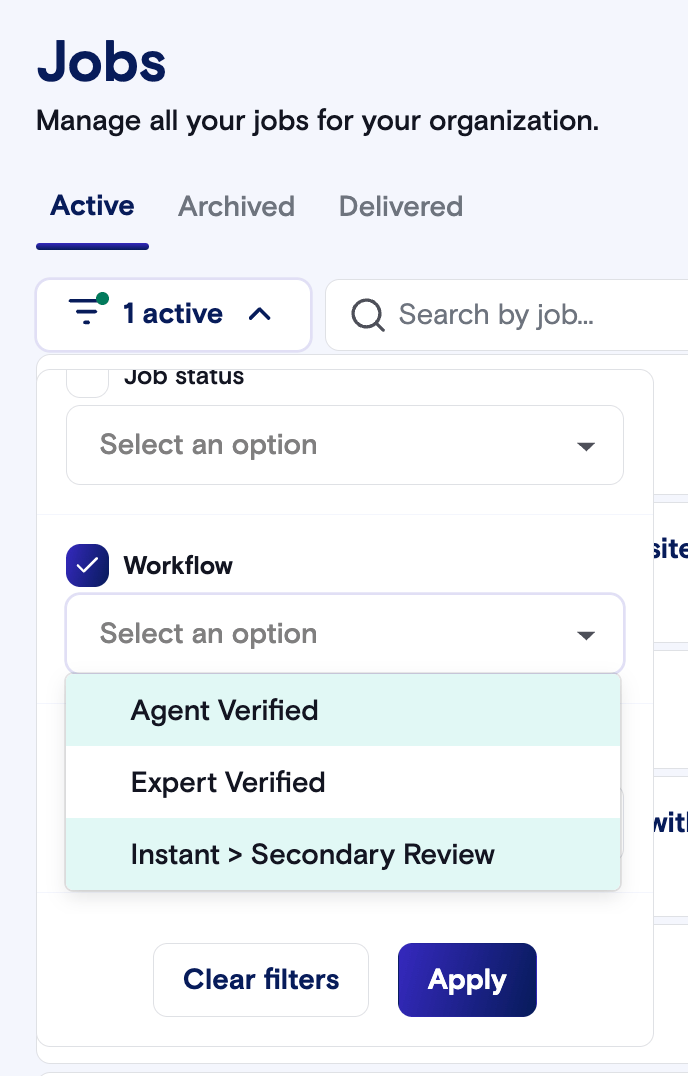
How Agent Verified translations are saved
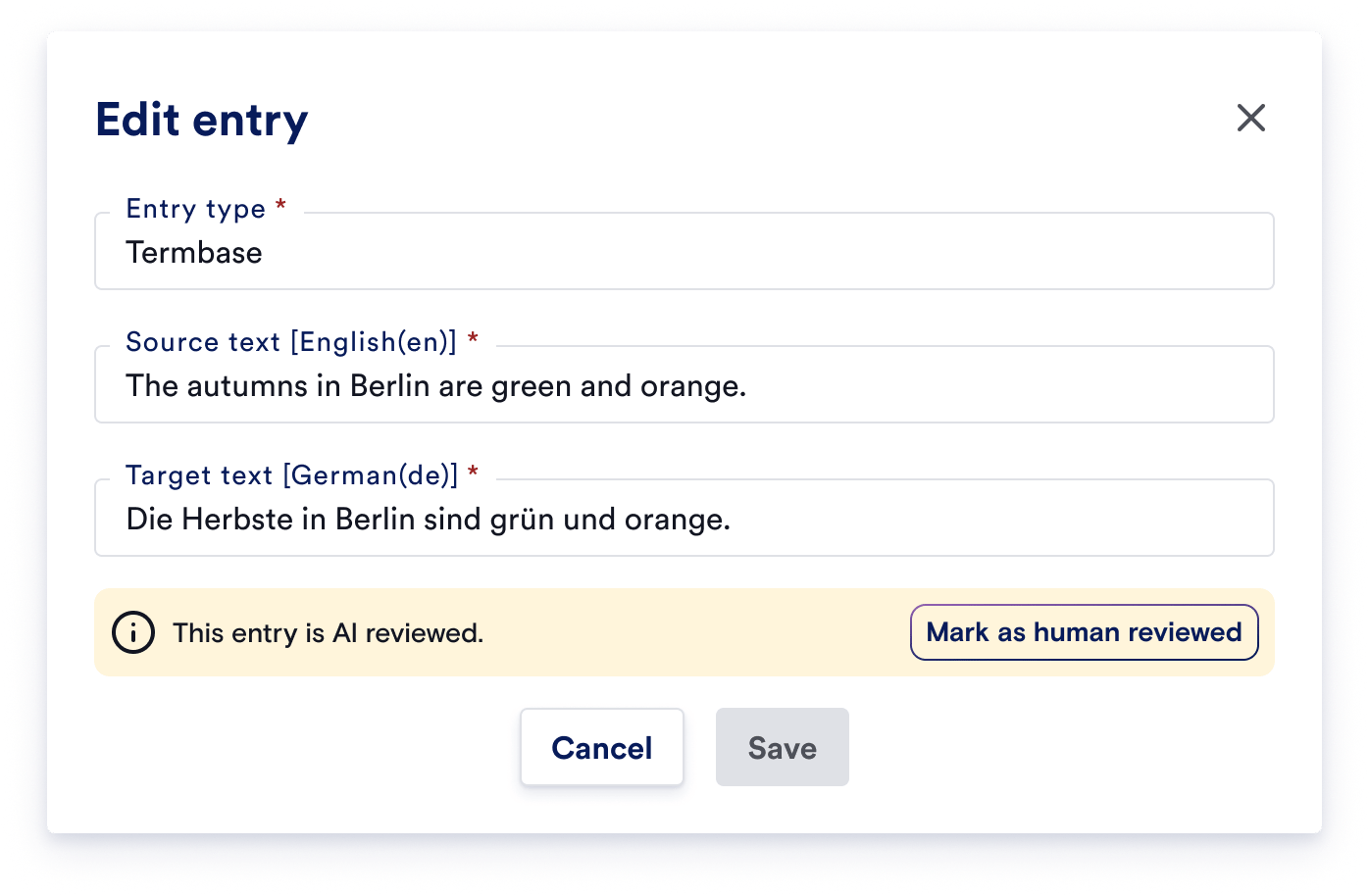
Agent Verified translations are saved to your Data Source with an AI Reviewed label. They keep future translations consistent, but they aren’t used to train your custom model.- In future Agent Verified jobs, exact matches to these translations are reused and not charged as new words.
- In Expert verified jobs, they appear as 99% matches. Experts can edit them, and they’re charged at your 99% match rate.
- When an expert or Secondary Reviewer confirms one of these segments, it becomes a human-verified translation and can be used for model training.
Other ways to submit
- API: Select Agent Verified as the workflow when you create the job. Include your documents in the job-creation request, since you can’t add them afterwards.
- LILT Assist and MCP: Ask Assist to translate your content and choose Agent verified when it offers translation options.
- Connectors: Agent Verified is available in Connector Admin (Beta). Contact your LILT account team to set it up for a connector.
Set Agent Verified as your default
Admins can make Agent verified the default option, or hide options your team shouldn’t use, in the Job Form Editor. Agent Verified needs to be enabled for your organization. If you don’t see the option, contact your LILT account team.Beta limitations
- There is no live quality score in Analytics for the first release. This is a known, accepted gap, not an oversight, and it’s planned as a fast follow right after launch.
- Agent Verified outputs are significantly improved with trained models and good style guides. Recommendation is to start customers on Verified and transition over to Agent Verified when quality is high enough.