Configuration
At a high level, the installation steps are as follows:- Install the TMGMT module.
- Install the TMGMT LILT Provider module.
- Enable the modules.
- Configure the LILT Provider module.
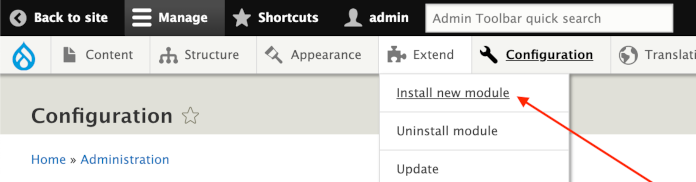
Extend>Install New Module.
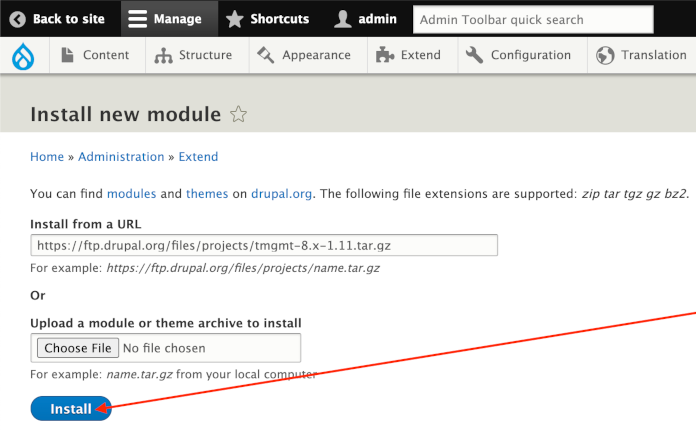
Enable packages
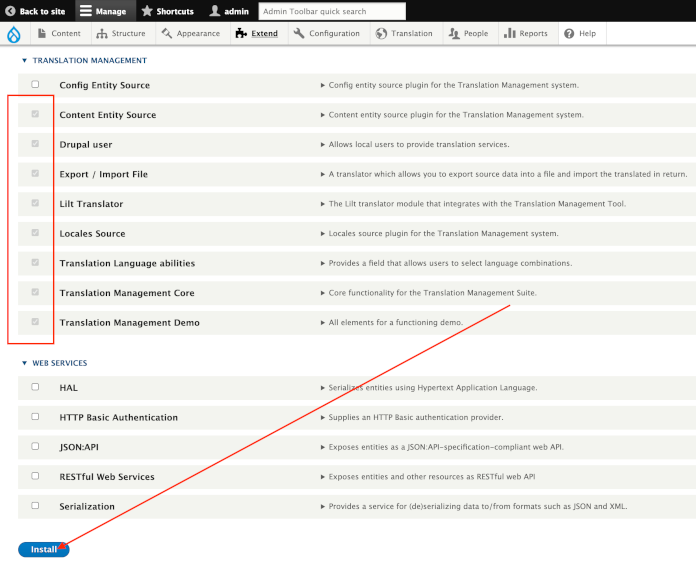
Once the packages are installed, go to the modules overview page, enable the Translation Management packages, then clickInstall.

Configure LILT provider
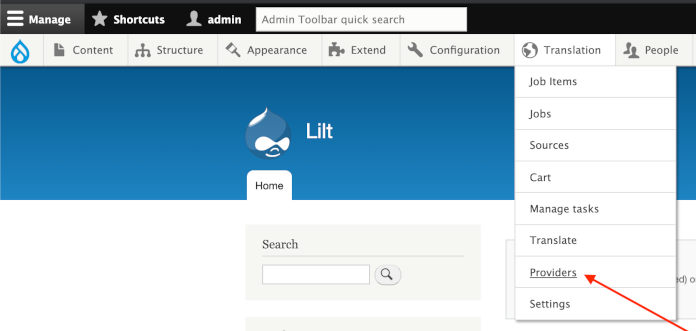
1. Go to theTranslation > Providers page.
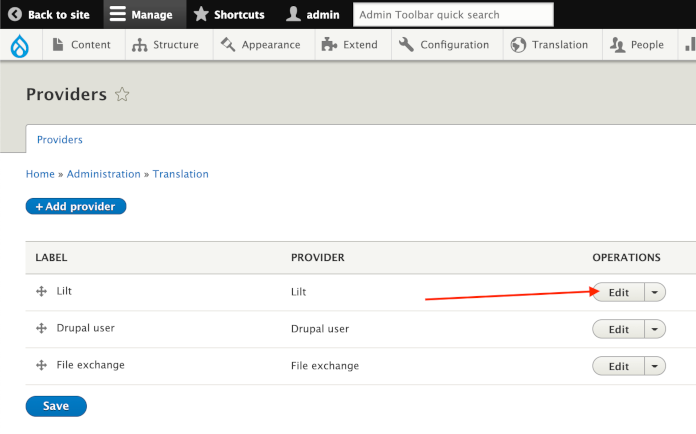
Edit button.
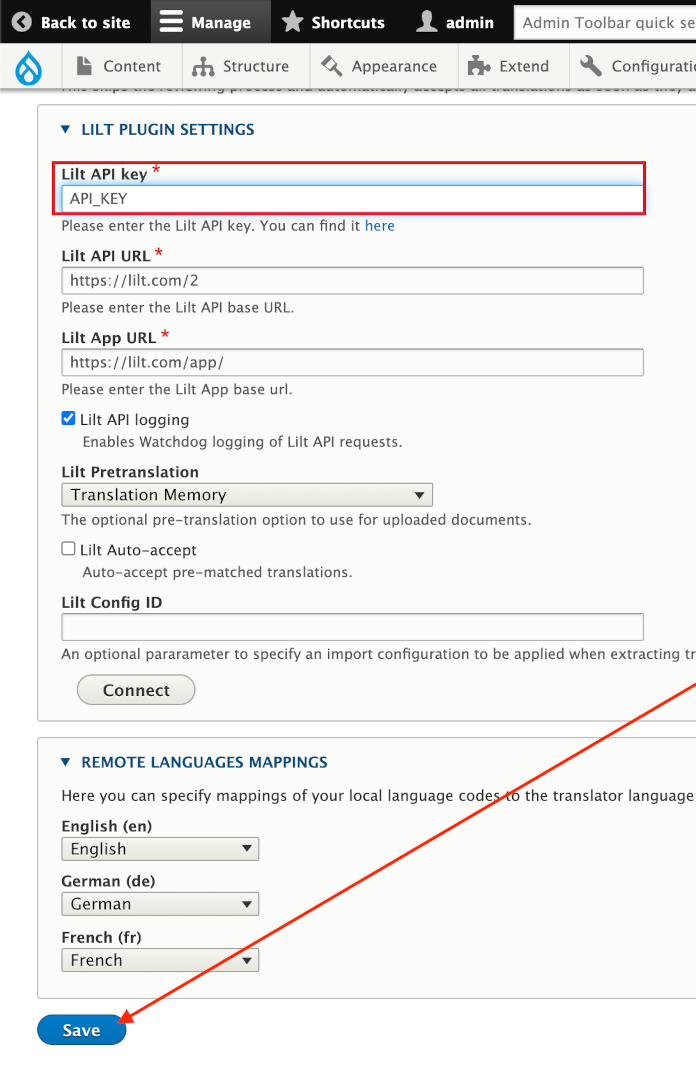
Save. Note: the URLs will default to the correct values, and the remaining values are optional.
Workflow
Once the connector is configured, content is moved between LILT and Drupal as outlined in the sections below.Job submission
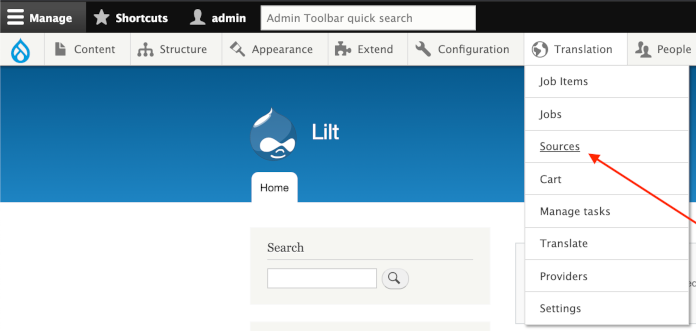
1. Navigate toTranslation>Sources.
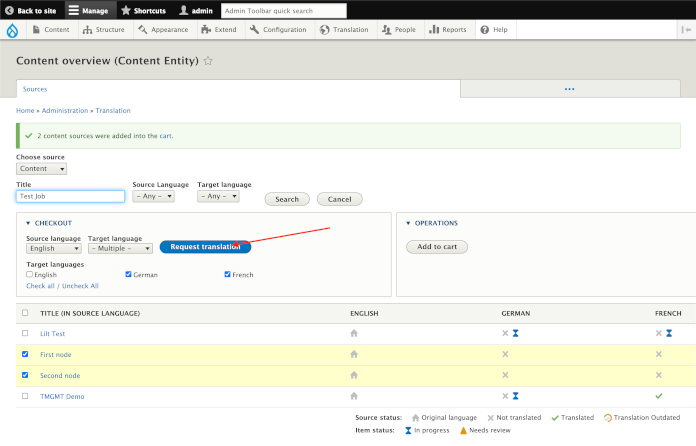
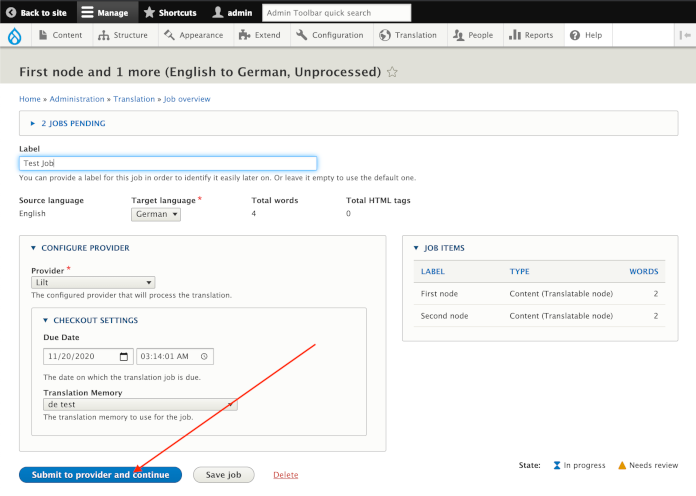
Job progress and completion
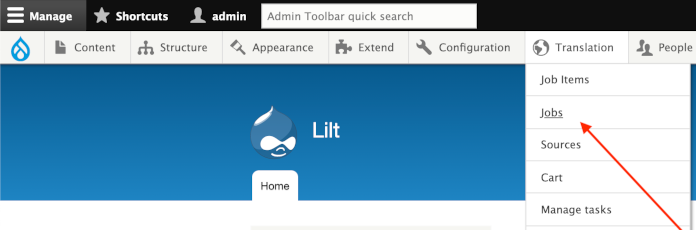
1. Navigate toTranslation>Jobs to view a list of all current jobs.
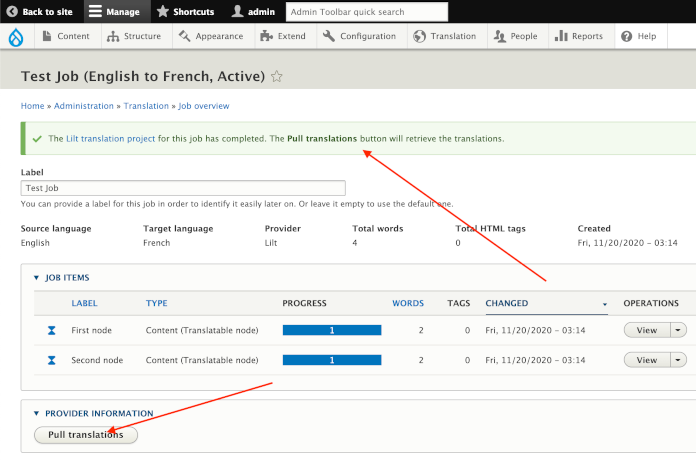
Manage to open the job.
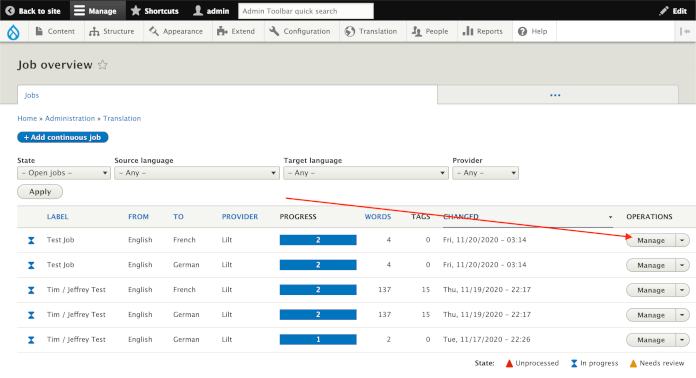
Pull Translations to pull in completed translations into Drupal. For content to be returned, the projects must be marked as Done in LILT.
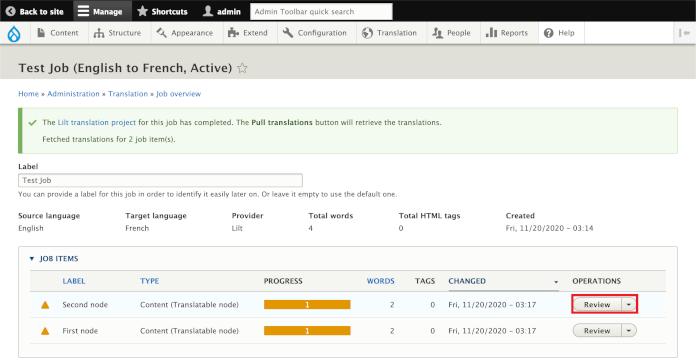
Review to preview the translation.
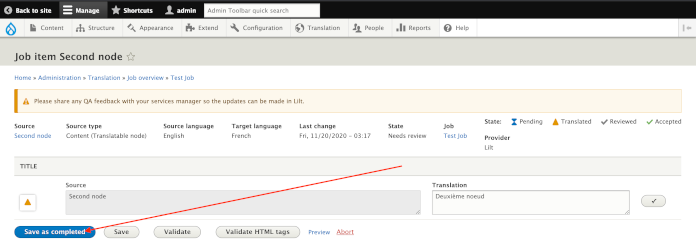
Save to complete. The translation will be published once it is completed.