

In-Context Preview is a feature of LILT Translate that allows linguists to preview all confirmed or accepted segments of a document as formatted text. This allows linguists to quickly check for and fix formatting issues. It also allows linguists to view the target text in the context of its neighboring segments without the accompanying source text.Documentation Index
Fetch the complete documentation index at: https://support.lilt.com/llms.txt
Use this file to discover all available pages before exploring further.
Preview mode
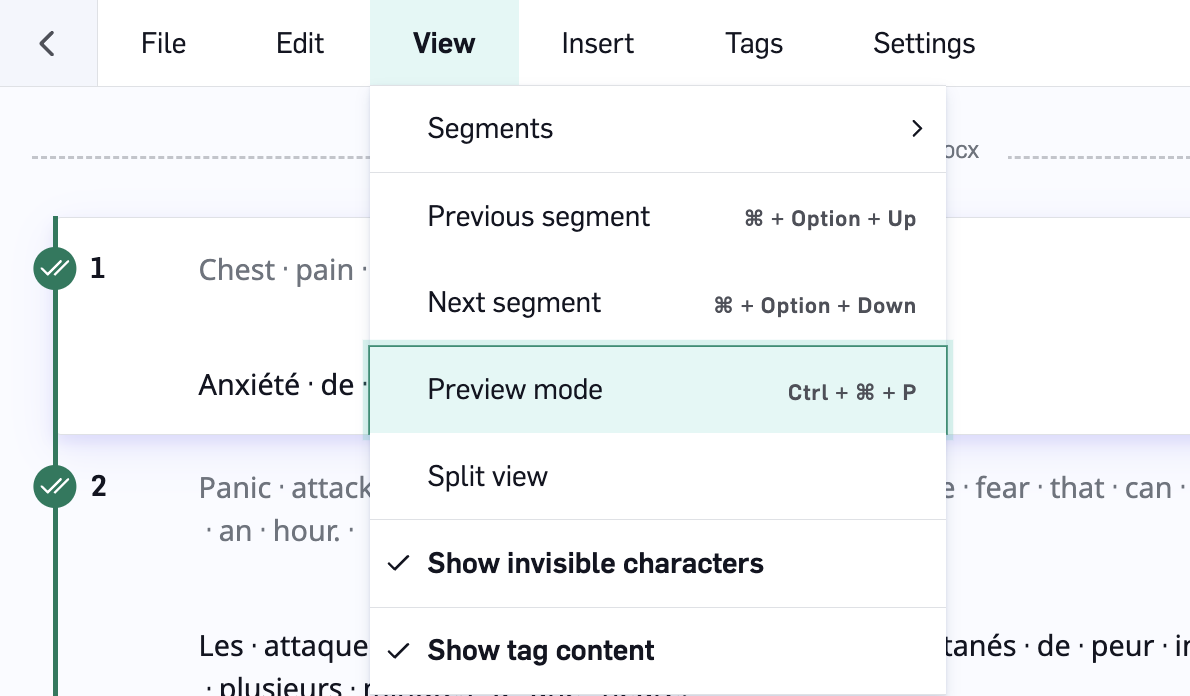
To open In-Context Preview in LILT Translate, click theView tab and select Preview mode (shortcut: Ctrl+Shift+P).

Preview mode actions
-
View source segment: To view the source content of a segment, click on the segment to open its TM entry in the
Segment contextsidebar. - Edit a segment: Double-click on a segment to be taken back to segment edit mode with the selected segment brought into focus.
-
Exit preview mode: Click
View>Preview modeto return to segment edit mode.
Supported HTML formatting
The table below lists the supported formatting types alongside their respective HTML tags. Unsupported formatting will show in plain text in preview mode.| Formatting Type | HTML Tags |
|---|---|
| Bold | b, strong |
| Italic | i, em |
| Underline | u |
| Strikethrough | strike |
| Subscript | sub |
| Superscript | sup |
| Link | a |
| Line break | br |

