

Review and Instant Workflows
LILT does not support ICU plurals in Instant translation, whether Instant runs alone or as the first stage of a workflow (e.g. Instant > Review). If an exact match exists for a segment containing ICU plurals, LILT will still populate it. If no exact match exists, the plural forms remain empty. When this happens, the Expert reviewing the segment sees an empty plural modal and must populate each plural form manually.Translate workflow stage
LILT’s ICU and Plurals modal allows Linguists to navigate LILT Verify and modify all of the forms for both the source and target languages. The number of forms for both source and target are automatically determined by the Unicode CLDR rules for that language; however, a linguist can easily delete an existing form or “Add another” depending on the sentence and context.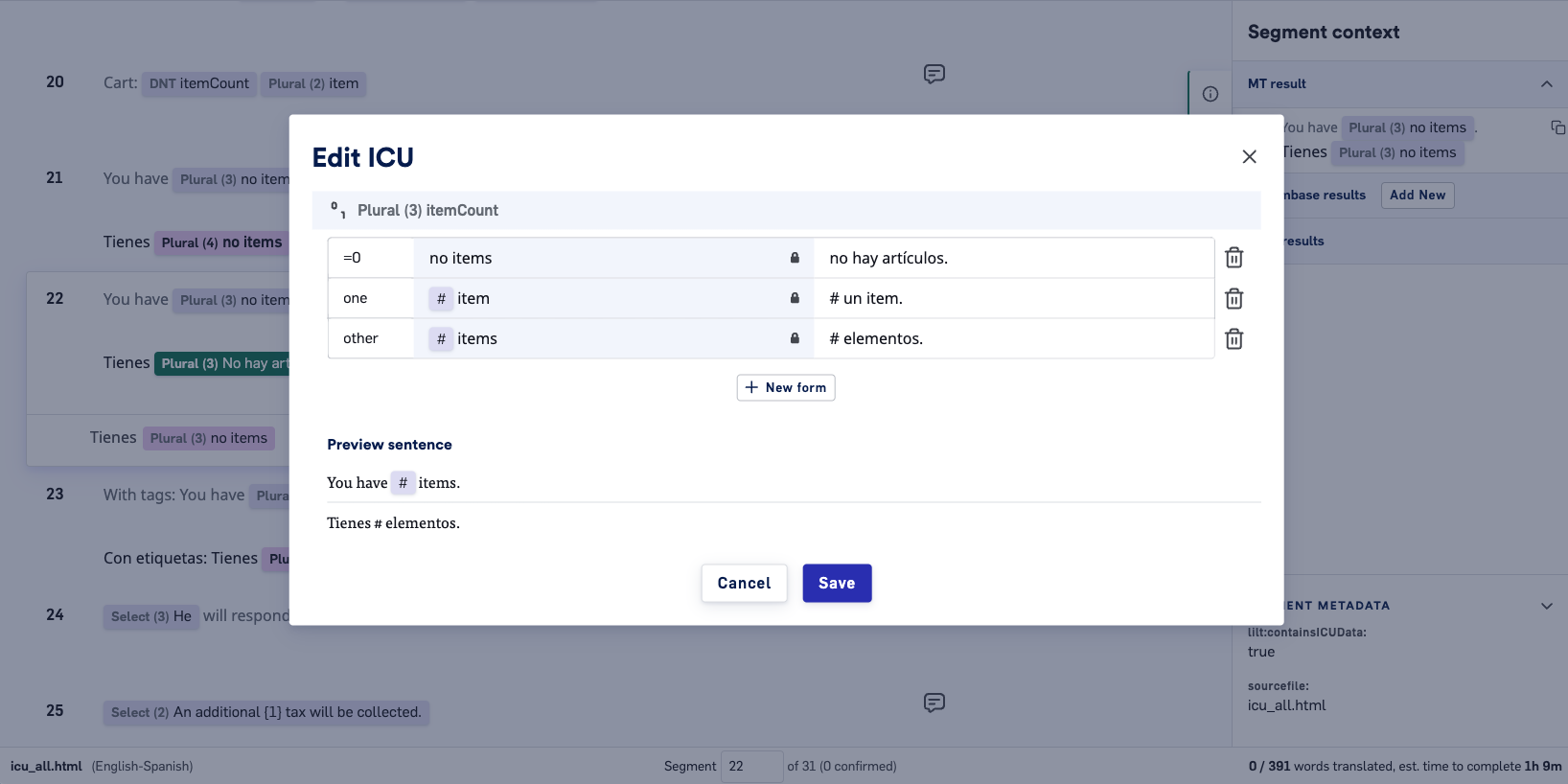
Pretranslate and Data Sources
After a segment containing plurals has been translated it will appear in the Data Source entries. Future source text with the exact number of forms and segment text will match 100%, and the Data Source will be leveraged. If pretranslation is used in Translate workflows, the target will be populated with Data Source entries if the match score is greater than 75%.What we don’t support
- We do not support non-standard formats which would produce errors in the ICU parser, iOS compiler, or Android compiler
- We do not support iOS strings catalog
- Tags within plurals
- Instant, MT or pretranslation within the plural modal. Linguists will not receive plural form suggestions.